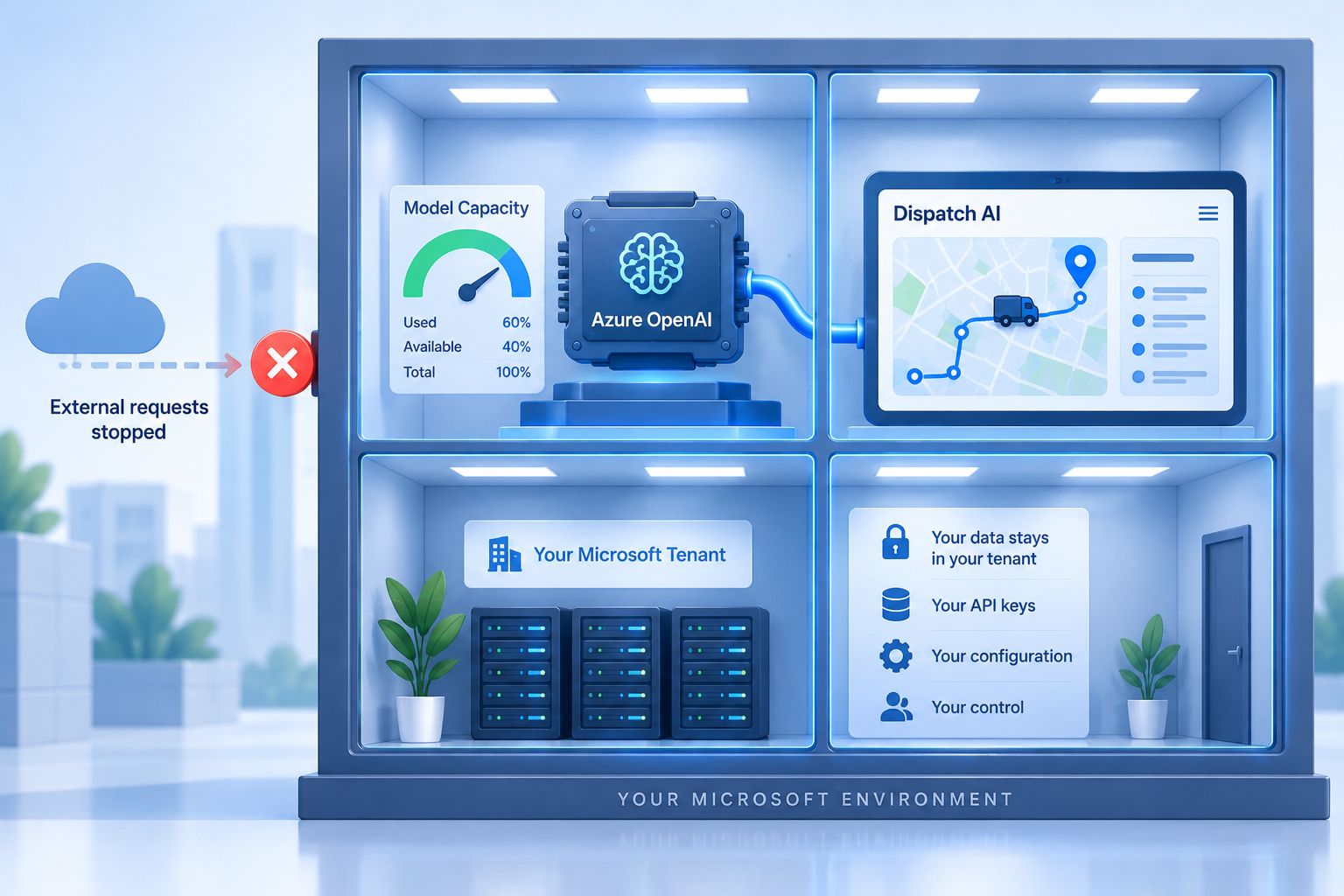
Azure OpenAI for logistics is the natural choice for enterprises that already run their business on Microsoft. Many operate ERPs such as Acumatica or Dynamics, identity through Entra ID, and a Microsoft enterprise agreement with committed Azure spend. Running dispatch AI through an Azure OpenAI deployment means the model calls happen inside that same tenant boundary, in a region you picked, billed to a subscription you already manage.
Geofleet supports this through its bring-your-own-LLM setting. This guide explains how to point Geofleet at your Azure OpenAI deployment, why enterprises prefer this arrangement, how to choose model deployments, how to plan quotas and rate limits, and what your IT team needs to check before go-live. We keep Azure claims to well-documented, generally available capabilities.
Why Microsoft-first enterprises pick Azure OpenAI
The appeal is not the models themselves, which are the same OpenAI model families available elsewhere. The appeal is where they run and how they are governed.
- Tenant boundary: the Azure OpenAI resource sits in your subscription and resource group, subject to your Azure policies, role assignments, and audit.
- Regional deployments: you choose the Azure region for each deployment, which settles most data residency questions for delivery addresses and customer details.
- Existing agreement and billing: usage is billed to your Azure subscription under your enterprise agreement, with the cost management, budgets, and alerts you already use.
- Private networking options: Azure OpenAI resources can be restricted to selected networks or reached through private endpoints, in line with your network policy.
- Familiar operations: keys live in your key vault, logs flow to your monitoring, and rotation follows your existing runbooks.
If you are still weighing whether to bring your own provider at all, our launch post on bring your own LLM covers the general case. The rest of this guide assumes you have decided on Azure.
What you need before you connect
Geofleet asks for three values from your Azure OpenAI resource. Gather them from the Azure portal before opening Geofleet settings.
| Value | Where to find it in Azure | What it looks like |
|---|---|---|
| Endpoint | Azure OpenAI resource, Keys and Endpoint page | https://your-resource-name.openai.azure.com/ |
| Deployment name | Azure AI Foundry or the resource Deployments page | A name you chose, for example dispatch-reasoning or dispatch-fast |
| API key | Azure OpenAI resource, Keys and Endpoint page (Key 1 or Key 2) | A long alphanumeric string; treat it as a secret |
The deployment name matters more than people expect. In Azure OpenAI you deploy a specific model version under a name you control, and the application calls the name, not the model. That indirection is what lets you upgrade the underlying model later without touching Geofleet.
Pointing Geofleet at your Azure OpenAI deployment
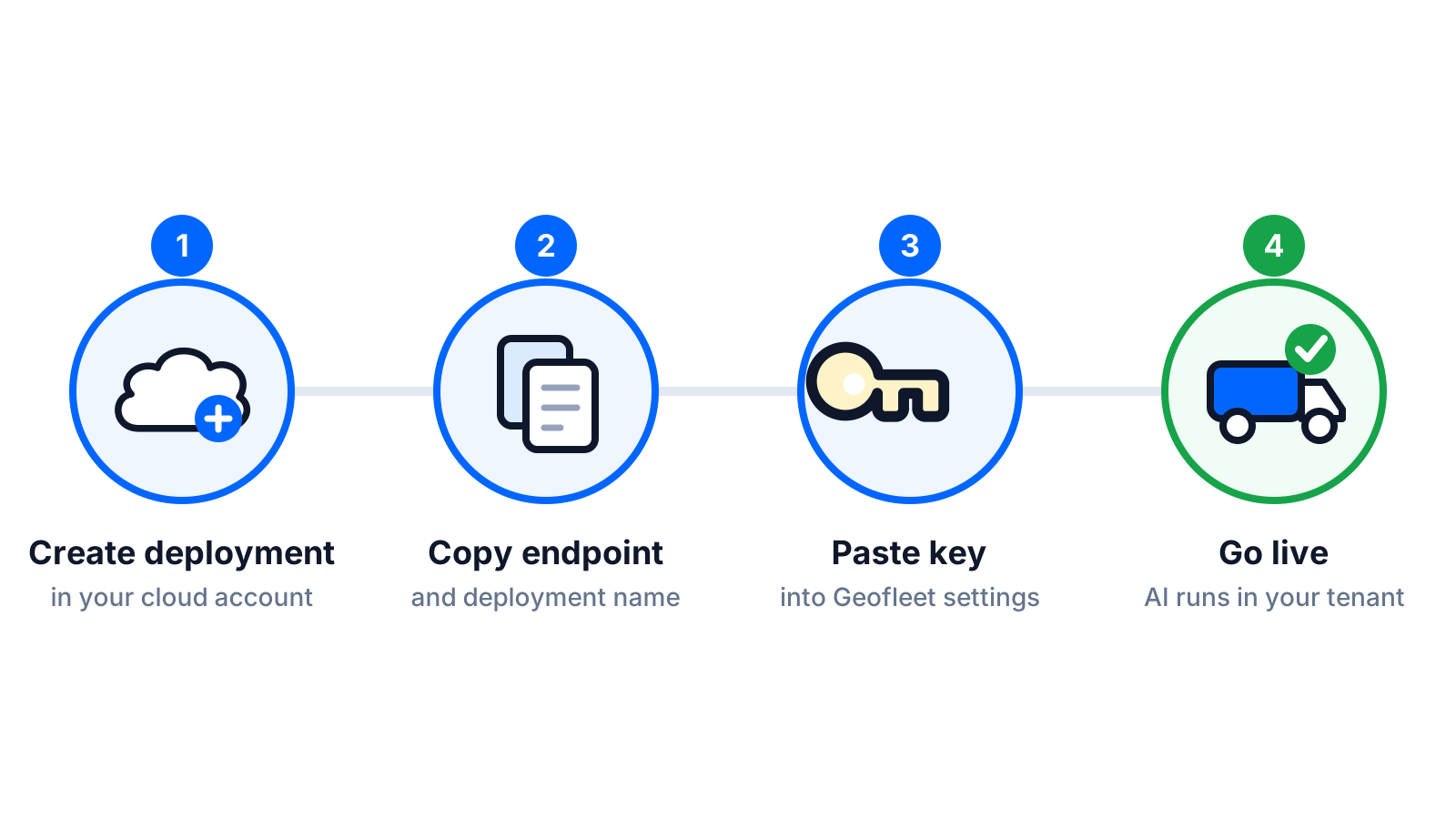
- In Azure, create an Azure OpenAI resource in the region you want data processed. Put it in a resource group dedicated to Geofleet so access and cost are easy to scope.
- Deploy at least one model under a clear deployment name. If you plan to tier models (recommended below), deploy two.
- Copy the endpoint and one of the two keys from the Keys and Endpoint page. Store the key in your key vault and record which key slot you used so rotation is straightforward.
- In Geofleet, open Settings, then Developer, then Integrations, and scroll to LLM model providers.
- Select Azure OpenAI. Enter the endpoint, the deployment name, and the key. Save.
- Open the dispatch copilot and run a test question, for example asking which routes are behind schedule. Confirm the response arrives.
- In Azure, check the resource metrics page to confirm the request was counted against your deployment.
Use Key 2 for Geofleet, keep Key 1 for rotation
Azure OpenAI resources expose two keys so you can rotate without downtime. Put one in Geofleet, keep the other unused, and when it is time to rotate, swap Geofleet to the unused key and regenerate the old one. No AI feature goes offline during the swap.
Choosing model deployments
A dispatch platform generates two very different kinds of model calls. There are thousands of short, structured calls a day: cleaning an address, classifying a delivery note, picking a category. And there are fewer, longer calls where a copilot answers a question from several tool results or an agent works through an exception. Serving both from a single frontier deployment wastes money on the first and can starve the second of quota during peak hours.
| Deployment | Model class | Used for | Sizing note |
|---|---|---|---|
| dispatch-fast | Small, low-latency model | Address cleanup, note classification, short summaries | High request rate, small tokens per request |
| dispatch-reasoning | Larger reasoning model | Copilot Q&A, agent exception handling, MCP-driven assistants | Lower request rate, large tokens per request |
Because Geofleet calls the deployment name, you can retire an older model version by deploying the newer one under the same name, or by creating a new deployment and updating the name in Geofleet settings. Either way it is a configuration change, not a code change. Our cost guide shows how much of the total bill each tier typically carries.
Quota and rate-limit planning
Azure OpenAI assigns quota per deployment, expressed in tokens per minute, with a corresponding requests-per-minute ceiling. Exceeding it returns rate-limit errors. Geofleet retries with backoff, but an agent that keeps hitting the ceiling during the morning dispatch rush will feel slow, and a copilot answer that takes twenty seconds gets abandoned.
A simple sizing method
- Count your peak-hour AI calls. For a 500-order operation, imports and address cleanup cluster in a one to two hour window, so assume most of those 500 short calls land there.
- Multiply by tokens per call. Short calls are a few hundred tokens; copilot and agent calls can be several thousand once tool results are included.
- Convert to tokens per minute at peak and add headroom of at least 50 percent for bursts and retries.
- Request quota for each deployment accordingly, and revisit after two weeks of real usage data from Azure metrics.
For sustained, predictable volume, Azure also offers provisioned capacity options that reserve throughput. Whether that is worth it depends on your volume and the pricing available under your agreement, which your Microsoft account team can quote.
"Our first week we put everything on one deployment and the copilot slowed down every morning at nine. Splitting the address cleanup onto a small deployment fixed it the same day and cut the bill."
— Platform engineer, national parcel network
Networking, logging, and monitoring
Geofleet reaches your Azure OpenAI endpoint over HTTPS. If your network policy restricts the resource to selected networks, you will need to allow the Geofleet egress addresses or expose the endpoint in a way Geofleet can reach. Discuss this with your Geofleet contact before locking the resource down, so the test query in step six does not fail for network reasons.
On the monitoring side, Azure exposes per-deployment metrics for requests, tokens, and rate-limit responses. Route diagnostic logs to your log analytics workspace, set a cost budget on the resource group, and add an alert on rate-limit responses so quota problems surface before dispatchers notice them. Geofleet keeps its own audit log of which AI tool calls were made on your data, which complements the Azure view.
What this setup does not do
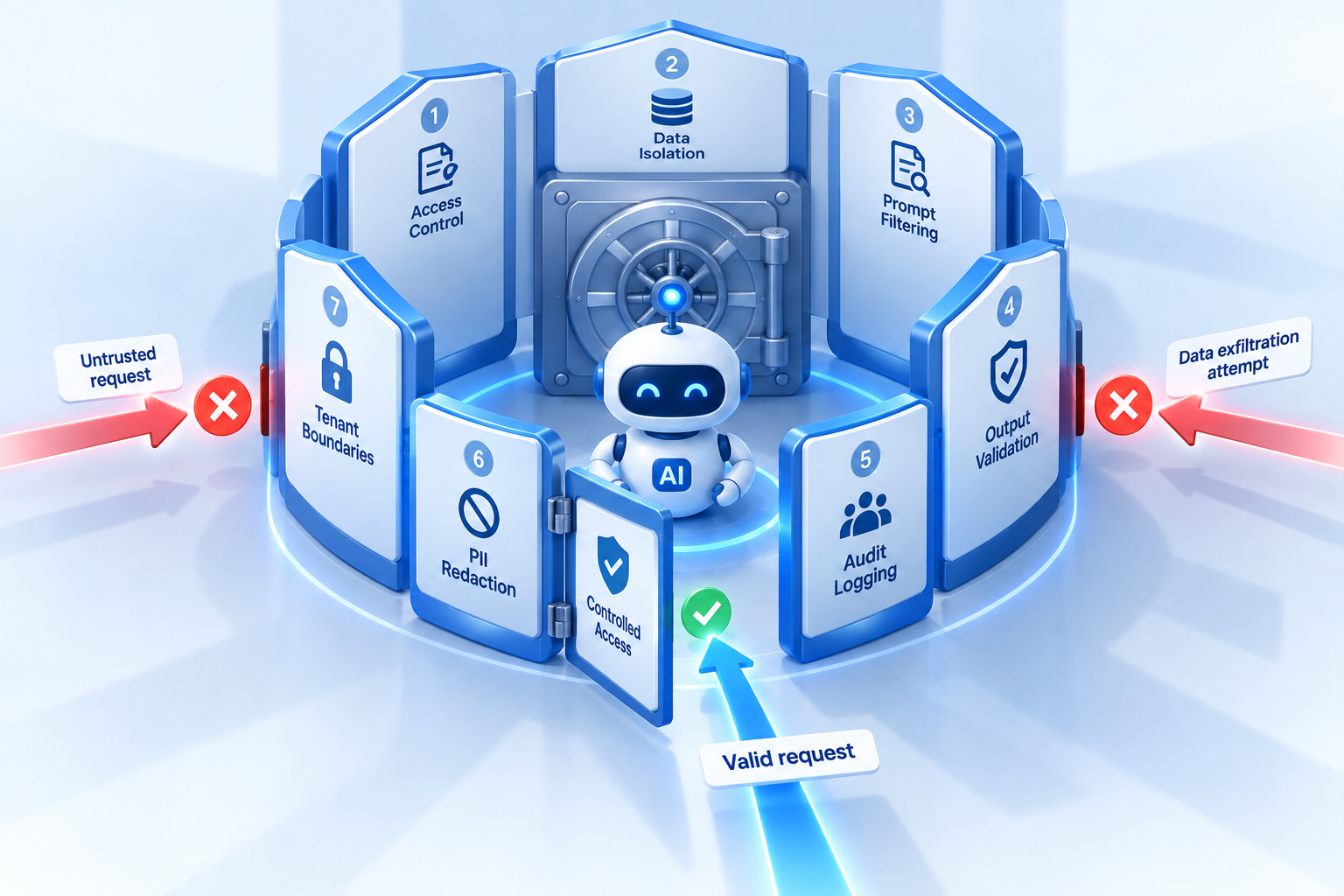
Running inference in your Azure tenant does not by itself grant the AI agent safe permissions. Read-only default scopes, allow-listed write actions with approval, and audit logging still need to be configured in Geofleet. Our guardrails guide covers that layer.
IT checklist before go-live
- Subscription and resource group chosen; Azure OpenAI resource created in the approved region.
- Two deployments created and named; model versions recorded.
- Quota per deployment set with headroom; provisioned capacity decision made if volume warrants it.
- API key stored in key vault; rotation runbook written using the two-key swap.
- Network access policy applied and verified against a Geofleet test query.
- Cost budget and alerts configured on the resource group.
- Diagnostic logs routed to your monitoring workspace; rate-limit alert created.
- Geofleet LLM model providers configured, tested, and the Geofleet audit log reviewed after the first day.
Teams that already connected their ERP to Geofleet will recognise the pattern: one resource, one set of credentials, one settings page. If you have not done the ERP side yet, our Acumatica last-mile integration guide and the broader guide to connecting an ERP without custom code are the right next reads.
Related reading
Frequently asked questions
Can Geofleet use Azure OpenAI instead of OpenAI directly?
Yes. In Settings, Developer, Integrations, the LLM model providers section includes Azure OpenAI. Enter your endpoint, deployment name, and API key, and every Geofleet AI feature runs through that deployment in your Azure tenant.
What information do I need from Azure to connect Geofleet?
Three values: the resource endpoint URL, the deployment name you gave the model, and one of the two API keys from the Keys and Endpoint page. All are available in the Azure portal for the Azure OpenAI resource.
Why would a logistics company prefer Azure OpenAI over other providers?
Usually because they already run on Microsoft. Azure OpenAI keeps inference inside the tenant boundary, lets them pick the region, bills to their existing enterprise agreement, and supports private networking and the monitoring tools their IT team already uses.
Should I use one model deployment or several for dispatch AI?
Two is a good default: a small, fast deployment for address cleanup and note classification, and a larger reasoning deployment for the copilot and agents. This keeps cost down and prevents high-volume short calls from consuming the quota needed for reasoning tasks.
How do I avoid rate-limit errors from Azure OpenAI during peak dispatch hours?
Estimate peak-hour tokens per minute for each deployment, request quota with at least 50 percent headroom, and monitor rate-limit responses in Azure metrics. If volume is steady and high, consider provisioned capacity through your Microsoft account team.
Does using Azure OpenAI make my AI agents safe by default?
No. It addresses where inference happens and who controls the account. Agent permissions, approval steps for write actions, and audit logging are configured separately in Geofleet and should be part of the same rollout.