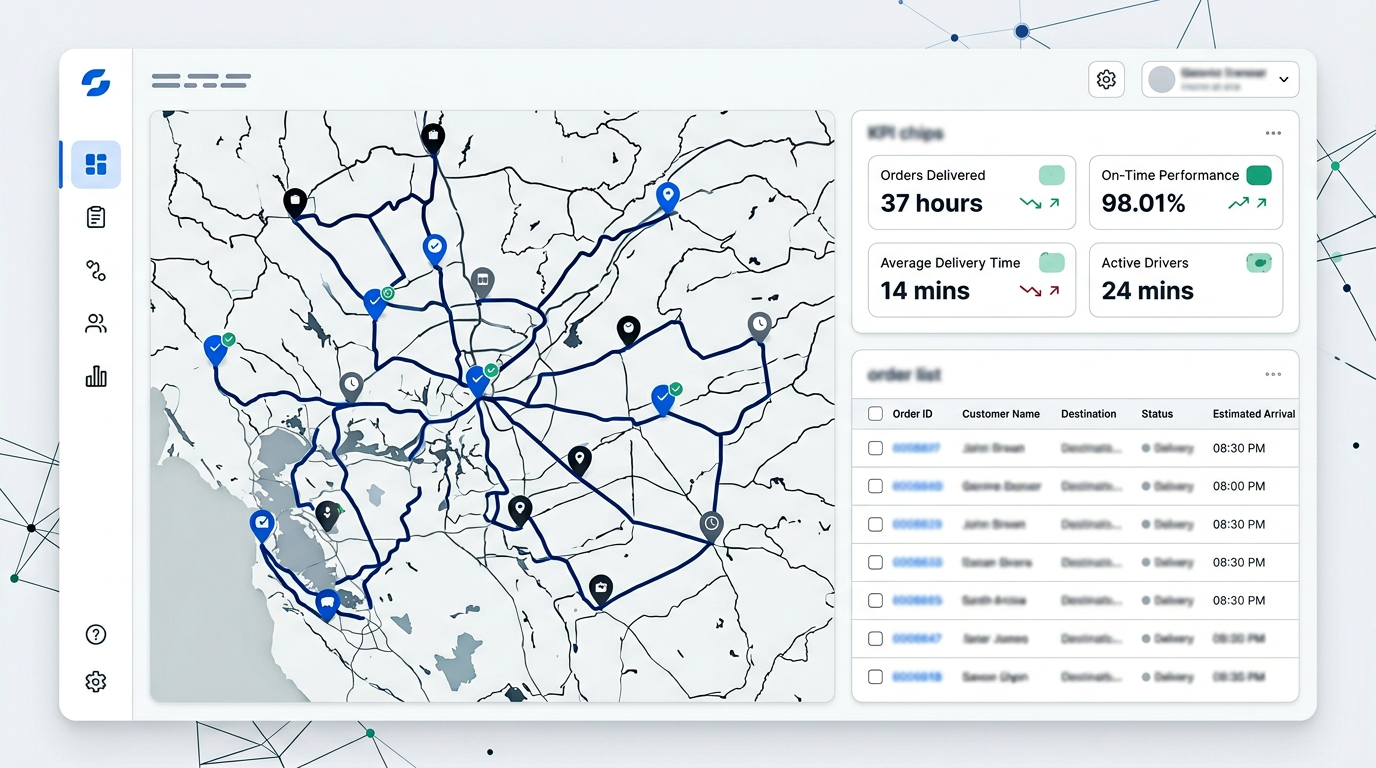
Command centre

How Geofleet works: tower + Copilot

Everything runs from one operational surface. The command centre is the live picture; Copilot is how you query it, explain it, and move work forward—without switching tools for every exception.

Geofleet command centre overview

End-to-end in four steps

From the tower to guided rollout—same data, one coherent flow.

One tower where you: Command centre. Live map, queues, and controls—one surface for the whole operation. Copilot. Ask in plain language: assign routes, clear exceptions, and pull status. Execute & automate. Turn answers into bulk updates, reroutes, and workflows without tab-hopping. AI onboarding. Guided setup for integrations, hubs, and roles—Copilot walks your team through it.

  1. Command centre

    Live map, queues, and controls—one surface for the whole operation.

  2. Copilot

    Ask in plain language: assign routes, clear exceptions, and pull status.

  3. Execute & automate

    Turn answers into bulk updates, reroutes, and workflows without tab-hopping.

  4. AI onboarding

    Guided setup for integrations, hubs, and roles—Copilot walks your team through it.

One surface for live ops

The command centre

The tower centralises live orders, drivers, the map, ETAs, and exceptions so the next action is obvious. Below, each capability is explained on its own—connect data, run dispatch, see the live picture, and prove outcomes.

Bring data in your way

Native integrations for commerce, OMS, messaging, and telematics; Model Context Protocol (MCP) so AI clients and orchestration can call Geofleet with the right permissions; structured CSV uploads and templates for orders, rosters, and reference data; and guided manual entry when you need precision for pilots or corrections.
Plan, assign, and adapt fast

Build routes and territories, assign work, and rebalance when volume or windows shift. Reassign, resequence, inject stops, run bulk status updates, manifests, and exports—always within role and policy guardrails.

One live map and prioritized queues

Exceptions and SLA risk rise to the top—no split between a “tracking app” and a “dispatch app.” Role-based views so dispatch, hub leads, and partners see the right slice. Customer context—tracking links, comms history, proof of delivery—stays in flow without leaving the tower.

Measure, drill down, and audit

Operational KPIs: on-time performance, cost-per-drop, hub and driver scorecards, delay and exception drill-downs—not vanity charts. A reliable audit trail of who changed an order, route, or master record, and when.

Geofleet command centre — map and operations view

AI that reads the same live data

Copilot

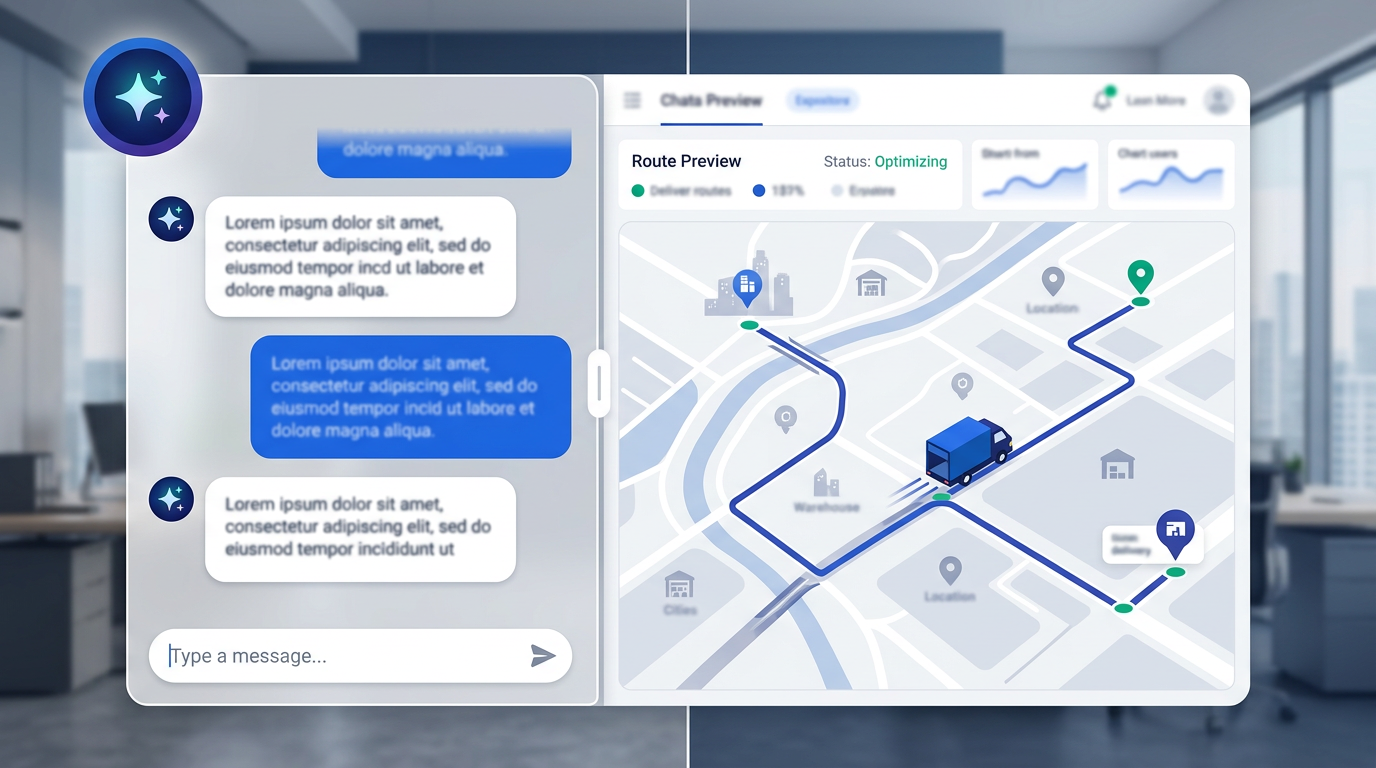
Copilot sits on the same execution graph as the tower. Each capability below is a distinct way it helps—ask, understand, act safely, and onboard faster.

Copilot and operations in Geofleet

Ask in plain language

Describe intent in operational terms—late stops, capacity, driver workload, zone pressure, or “what changed since 09:00.” Answers are grounded in live tower state, not generic LLM filler.

Operational answers and summaries

Get structured views: filtered lists, comparisons, and explanations tuned for dispatch, routing, and exceptions—not small talk or unrelated advice.

Suggested actions within guardrails

When policy allows, Copilot can propose reroutes, bulk updates, or a precise checklist for human confirmation. Permissions are enforced: users cannot trigger what their role should not.

Faster onboarding and playbooks

Guided prompts to wire hubs, integrations, and workflows with less spreadsheet choreography—so new sites adopt the same tower habits.

How tower and Copilot connect

Same session, same data—Copilot reads the tower and writes back only where you allow.

See

Open the command centre for the live map, queues, and exception feed.

Ask

Ask Copilot to filter, summarize, or compare—e.g. late deliveries by hub or driver.

Act

Run allowed bulk updates or follow Copilot-suggested next steps with confirmation where needed.

Scale

Use AI-assisted onboarding and repeatable playbooks so new hubs and teams adopt the same flow.

Run the tower with Copilot at your side

Start a trial or talk to us about command centre, Copilot, and permissions for your org.