An MCP server for logistics exposes your dispatch platform as a set of tools an AI assistant can call. If you want the background on the Model Context Protocol and why it complements webhooks and native integrations rather than replacing them, read our introduction to Geofleet MCP with Shopify, HubSpot, and Sheets first. This post skips the theory and shows the work: 15 prompts that real dispatch, operations, finance, and support people run, what tool calls happen underneath, and what the answer looks like.
The examples assume an assistant connected to four MCP servers: Geofleet, Shopify, Google Sheets, and Acumatica. Tool names below are illustrative of the Geofleet tool set; the exact names are listed by the server when your assistant connects.
How to read these examples
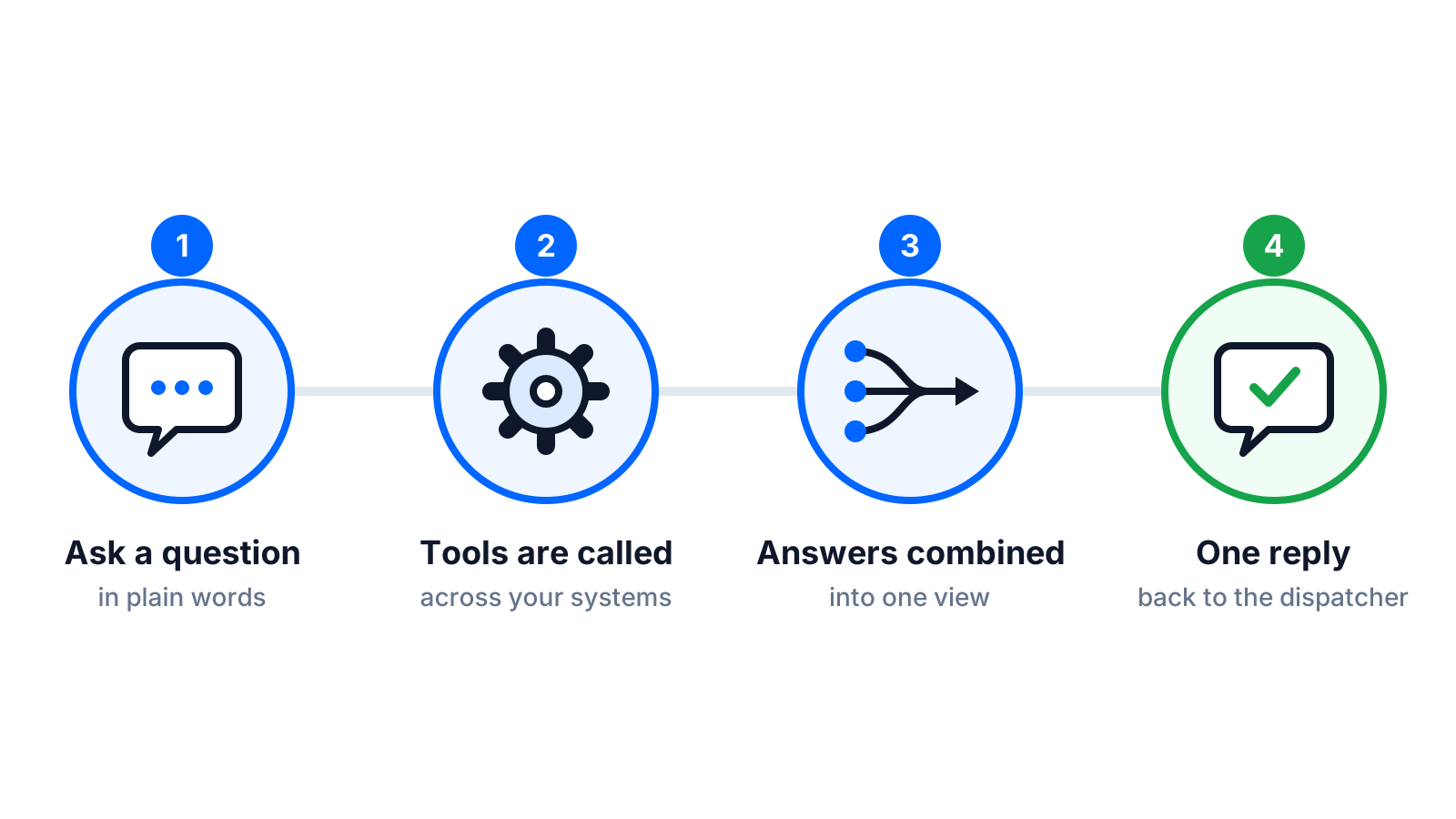
Each example has three parts. The prompt is what the person types. The tool calls are what the assistant decides to run, in order. The answer is the shape of what comes back, usually a short table or a ranked list with the reasoning made visible. Read-only prompts return information and change nothing. Write prompts propose a change and wait for approval before the tool that changes state is called.
- Read-only: any tool starting with get or list. Safe to give every user on day one.
- Write: tools such as reassign, update, create, or issue. Allow-listed per role and gated behind an approval step.
- Cross-system: prompts that touch two or more servers. This is where MCP saves the most time.
Dispatcher prompts: what is happening right now
1. Which orders will miss their delivery window in the next two hours?
Tool calls: list_orders with status in-transit and window ending within 120 minutes, then get_route_status for each assigned route, then get_eta per stop. Answer: a table of at-risk orders with current ETA, window end, minutes of slack, and the Captain assigned, sorted by least slack. Read-only.
2. Who is closest to the failed delivery at stop 14 on route R-207 and has capacity?
Tool calls: get_route_status for R-207 to locate the stop, list_captains with live location within a radius, then get_route_status for each candidate to check remaining stops and vehicle space. Answer: three candidates ranked by detour minutes, with a note on each one’s remaining stops. Read-only until you say reassign.
3. Reassign that stop to Captain Priya and notify the customer.
Tool calls: reassign_stop with route, stop, and target Captain, then send_notification with the customer template. Both are write actions. The assistant shows the exact parameters and the expected new ETA, waits for your approval, then executes and confirms. Each call lands in the audit log with your identity.
4. What did the customer at order 88213 write in their delivery notes, and is there a gate code?
Tool calls: get_order for 88213 in Geofleet, and if the note is empty, get_order from Shopify for the same order number to check the storefront-side instructions. Answer: the note text, a flagged gate code if one is present, and which system it came from. Read-only.
5. Show me every route that started more than 30 minutes late this morning and why.
Tool calls: list_routes for today with actual start later than planned start plus 30 minutes, then get_route_events for each to find the first delay event (vehicle check, loading, late Captain check-in). Answer: routes, delay in minutes, and the first recorded cause. Read-only.
Ops manager prompts: what is trending
6. Compare this week’s deliveries per Captain against the capacity plan in the ops sheet.
Tool calls: get_delivery_stats grouped by Captain for the week in Geofleet, then read_range on the capacity planning tab in Google Sheets. Answer: a table with planned versus actual per Captain, variance, and the three biggest gaps highlighted. Read-only. This replaces the weekly export-and-VLOOKUP routine.
7. Which zones had a failed-delivery rate above 5 percent in the last 14 days, and what were the top reasons?
Tool calls: get_delivery_stats grouped by zone with failure reason codes, filtered to the period. Answer: zones over threshold, failure rate, and top two reason codes per zone (customer absent, address not found, refused). Read-only. Pair it with our failed deliveries cost guide to price the problem.
8. Are Shopify orders reaching dispatch fast enough? Show average time from order paid to first assignment for the last 7 days.
Tool calls: list_orders from Shopify with paid timestamps, then get_order in Geofleet for each to fetch first-assignment time. Answer: daily average lag in minutes, the slowest ten orders, and whether the lag is on the sync side or the allocation side. Read-only. If the sync side is slow, our Shopify delivery integration guide covers the fix.
9. Draft next week’s Captain roster based on forecast volume in the planning sheet and write it back to the roster tab.
Tool calls: read_range on the forecast tab, get_delivery_stats for productivity per Captain, then write_range on the roster tab. The write to Sheets is an approved action: the assistant shows the proposed roster grid first. Nothing in Geofleet changes; the roster is a planning artefact.
Finance lead prompts: where the money went
10. How much did we pay Captains per delivered order last month, by hub?
Tool calls: get_payout_summary grouped by hub and get_delivery_stats for delivered counts, both in Geofleet. Answer: payout per delivered order by hub, month over month change, and the hub with the widest gap from the average. Read-only. Payout rules come from Captain Payout Configuration in settings.
11. Reconcile last week’s COD collections in Geofleet against cash receipts posted in Acumatica.
Tool calls: get_cod_summary per Captain per day from Geofleet, then list_cash_receipts from Acumatica for the same dates. Answer: matched totals, unmatched days with the difference, and the Captain and date for each discrepancy. Read-only. Our COD operations guide explains the underlying cash workflow.
12. List refunds over 50 in the last 30 days with the proof-of-delivery status for each, and flag ones where POD shows delivered.
Tool calls: list_refunds with amount filter, then get_proof_of_delivery for each order. Answer: refunds with POD outcome, photo present or not, and a flagged subset where a delivered POD exists. Read-only; deciding to contest a refund stays with a human.
Support agent prompts: one customer, one answer
13. Customer on the phone: order 91120. Where is it, what is the ETA, and who is delivering it?
Tool calls: get_order for 91120, get_route_status for the assigned route, get_eta for the stop. Answer: current status, ETA with a confidence note, the Captain’s first name, and the branded tracking link to send. Read-only, and about four seconds instead of three screens.
14. The customer says the parcel was marked delivered but they never received it. Show me the proof of delivery and the last three GPS points.
Tool calls: get_proof_of_delivery for the order and get_route_events for the stop with location. Answer: POD photo reference, signature status, delivery timestamp, and the last three coordinates with distance from the delivery address. Read-only. The agent decides what to do next; the assistant does not issue a refund unprompted.
15. Issue a partial refund of 12 for the damaged item on order 91120 and add a note.
Tool calls: create_refund with order, amount, and reason, then add_order_note. Both are write actions on the allow-list for support roles up to a threshold. The assistant displays the refund parameters, waits for approval, executes, and returns the refund reference. Above the threshold it escalates to a supervisor rather than executing.
Read-only versus write actions, and where approval sits
The examples above split cleanly. Eleven are read-only and can be enabled for everyone on the first day. Four change state, and each of those should sit behind an allow-list and an approval step. The table shows how we recommend scoping them by role.
| Role | Read-only tools | Write tools (with approval) | Escalation threshold |
|---|---|---|---|
| Dispatcher | Orders, routes, ETAs, Captains, events | reassign_stop, send_notification | Reassignments affecting more than one route |
| Ops manager | All Geofleet stats, Sheets read | write_range on planning tabs | None in Geofleet; planning writes only |
| Finance lead | Payouts, COD, refunds, Acumatica read | None by default | All financial writes stay in the ERP |
| Support agent | Order, POD, route events | create_refund, add_order_note | Refunds above a set amount |
Approval is enforced server-side
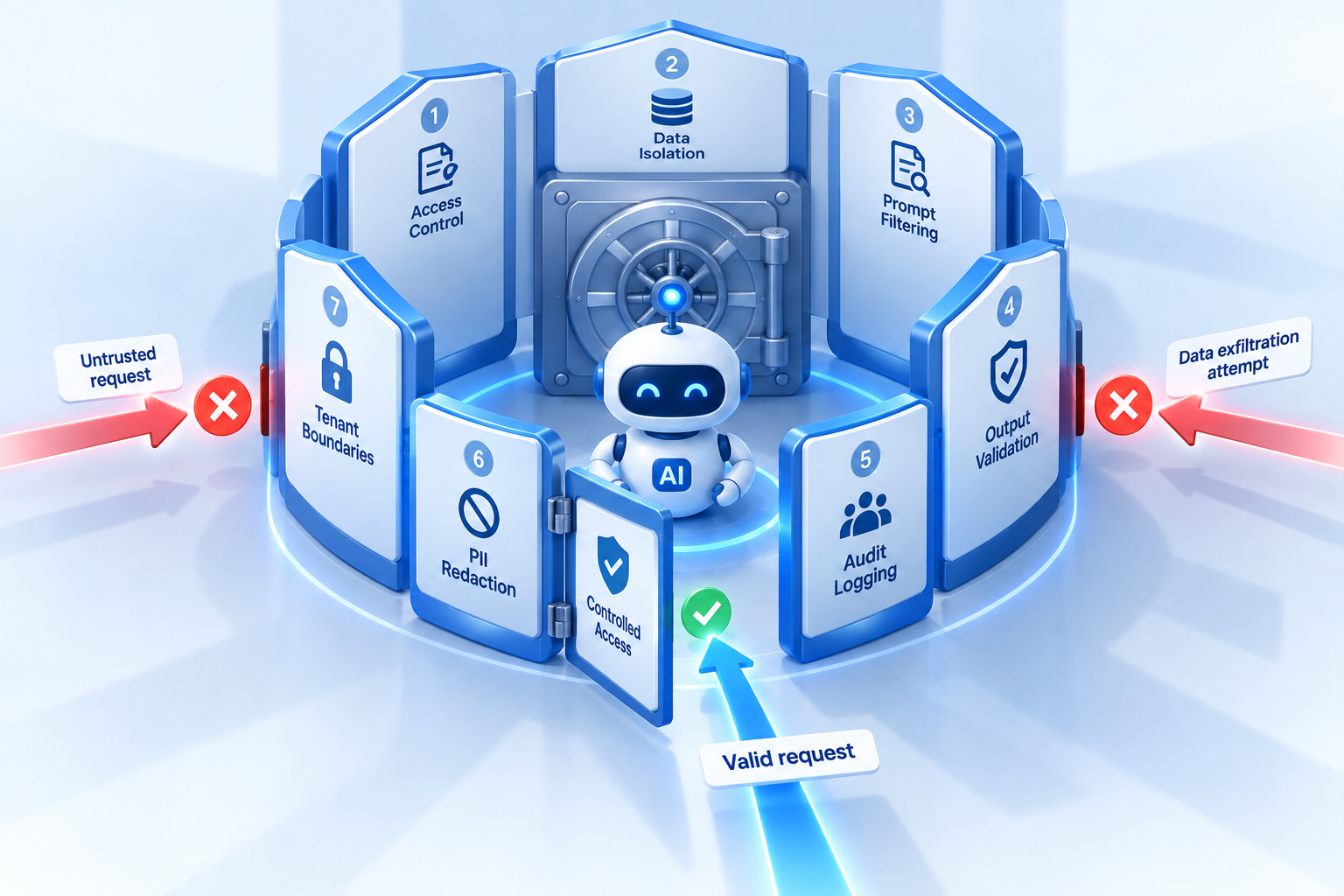
The approval step is not a polite prompt in the chat window. Write tools on the Geofleet MCP server require the approval to be recorded before the action executes, and every call is logged with the requesting user, the parameters, and the outcome. Our guardrails guide explains the full control set.
"The reconciliation prompt alone gave our finance lead two hours back every Monday. The support prompts cut average handle time on where-is-my-order calls to under a minute."
— Head of operations, multi-city courier
It runs on whichever model you chose
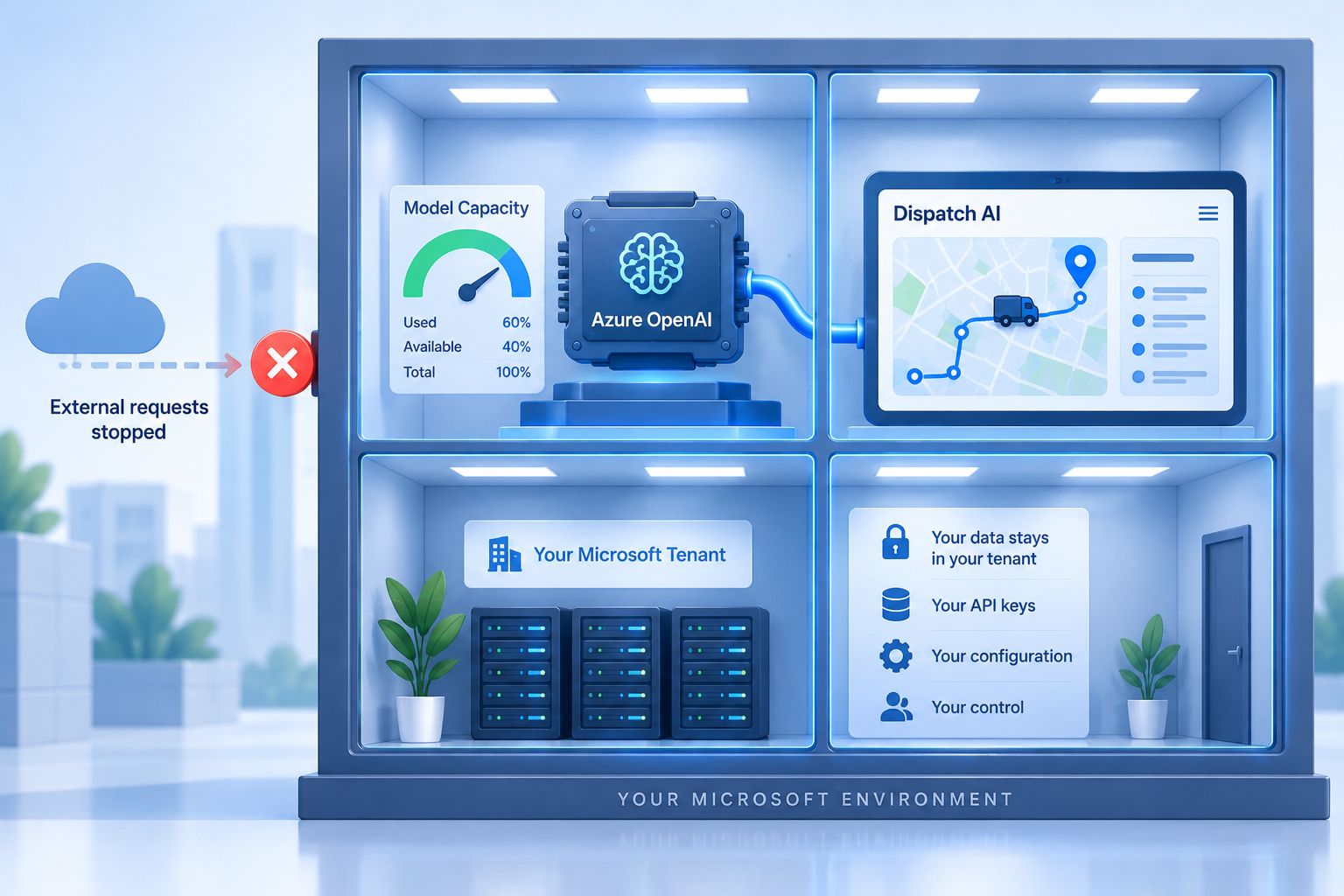
MCP-driven assistants in Geofleet use the model provider and API key configured in Settings, Developer, Integrations, under LLM model providers. If you selected Azure OpenAI in your own tenant, the prompts above, including the customer details in them, are processed there. If you chose OpenAI or another provider with your own key, the same applies. Our bring your own LLM post explains the setting; the data residency guide covers why it matters for the customer-level prompts in the support section.
Start with prompts 1, 6, 11, and 13
One per role, all read-only. Run them daily for two weeks, note which ones replace a manual routine, then decide which write actions are worth enabling. Most teams find the ROI is clear before any write tool is turned on.
Related reading
Frequently asked questions
What does an MCP server do for a dispatch team in practice?
It lets an AI assistant answer operational questions and, with approval, take actions by calling your dispatch platform and connected systems as tools. A dispatcher asks which orders will miss their window and the assistant queries orders, routes, and ETAs, then returns a ranked table, without anyone opening multiple screens.
Can an MCP assistant change orders or reassign drivers?
Only if write tools are enabled for that role and an approval step is completed. The assistant proposes the action with its parameters, a human approves, the action executes, and the call is logged. Read-only tools carry no such risk and are usually enabled first.
Which systems can be combined in one MCP query?
Any system with an MCP server connected to the same assistant. The examples in this post combine Geofleet with Shopify, Google Sheets, and Acumatica, covering dispatch, storefront orders, planning sheets, and ERP financials in single prompts.
Which AI model does the Geofleet MCP integration use?
Whichever provider and key you configured under LLM model providers in Geofleet settings. With bring-your-own-LLM, prompts from MCP-driven assistants go to your own OpenAI, Azure OpenAI, or other provider account.
How should a team start using MCP for dispatch?
Enable read-only tools for each role, pick one recurring manual routine per role, and replace it with a prompt. Run for two weeks, review which prompts stuck, then enable a small set of write actions with approval for the roles that need them.