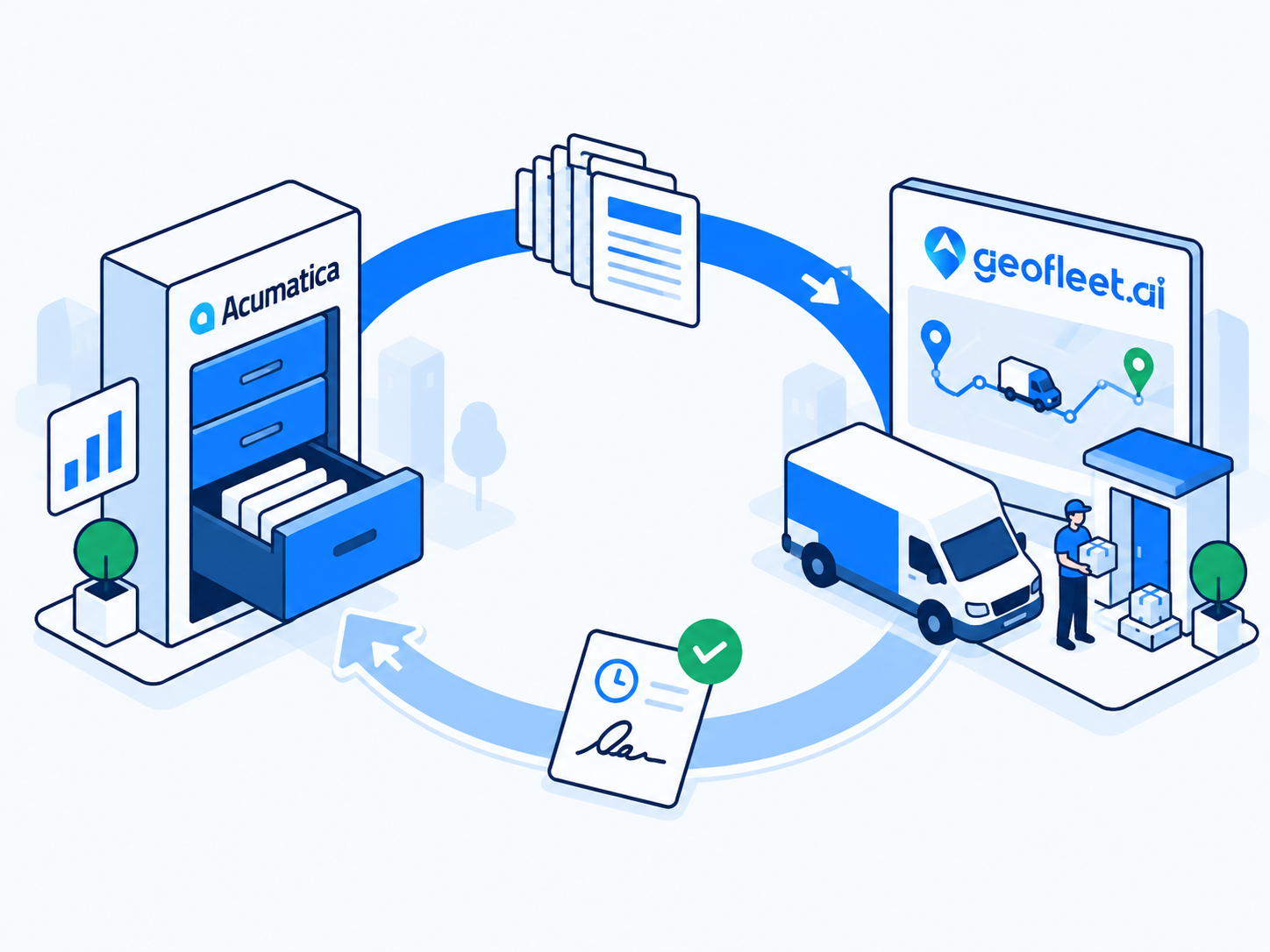
Companies that run on Acumatica have usually already solved order entry, inventory, and invoicing. What they often have not solved is the last mile: the shipment leaves the warehouse and, from that moment until a signed delivery note is scanned back in days later, the ERP knows nothing. An Acumatica delivery integration fixes that by treating dispatch as an extension of the shipment record rather than a separate world with its own spreadsheet.
This post is written for ERP-first buyers: the operations director or finance lead who is not shopping for a delivery app so much as looking for the delivery leg to stop being a black hole. It covers how sales orders and shipments flow into Geofleet, how the warehouse handoff works, what comes back to Acumatica, and how partials, returns, and reconciliation are handled. If you are evaluating integration approaches more broadly, the no-code ERP guide linked at the end compares native connectors with MCP, webhooks, and CSV.
Why ERP-first teams need an Acumatica delivery integration
The symptom is familiar. Invoices go out when the shipment is confirmed, not when the customer signs, so disputes about short deliveries become credit notes weeks later. Customer service cannot answer 'where is my order?' without calling the driver. Delivery distance for freight recharges is estimated rather than measured. Each of these is a data gap between the ERP and the road.
- Invoice timing: billing on delivery confirmation instead of shipment confirmation reduces disputes and aligns revenue with the actual event.
- Acumatica shipment tracking: sales reps and customer service see live status in the ERP screen they already use, with a customer-facing tracking link.
- Measured distance: GPS-based distance on each delivery feeds freight recharges and Captain payouts instead of a flat estimate.
- Exception visibility: refused, partial, and failed deliveries appear on the Acumatica shipment the same day, not when paperwork arrives.
- One reference everywhere: the shipment number is the key on the Geofleet order, the proof of delivery, and the tracking page.
None of this requires replacing Acumatica or moving order management out of it. The ERP remains the system of record. Geofleet handles what Acumatica does not do: allocation to Captains, route planning, the driver app, live tracking, and proof capture. This division of labour is the same one described in the broader post on Acumatica logistics and last-mile technology stacks.
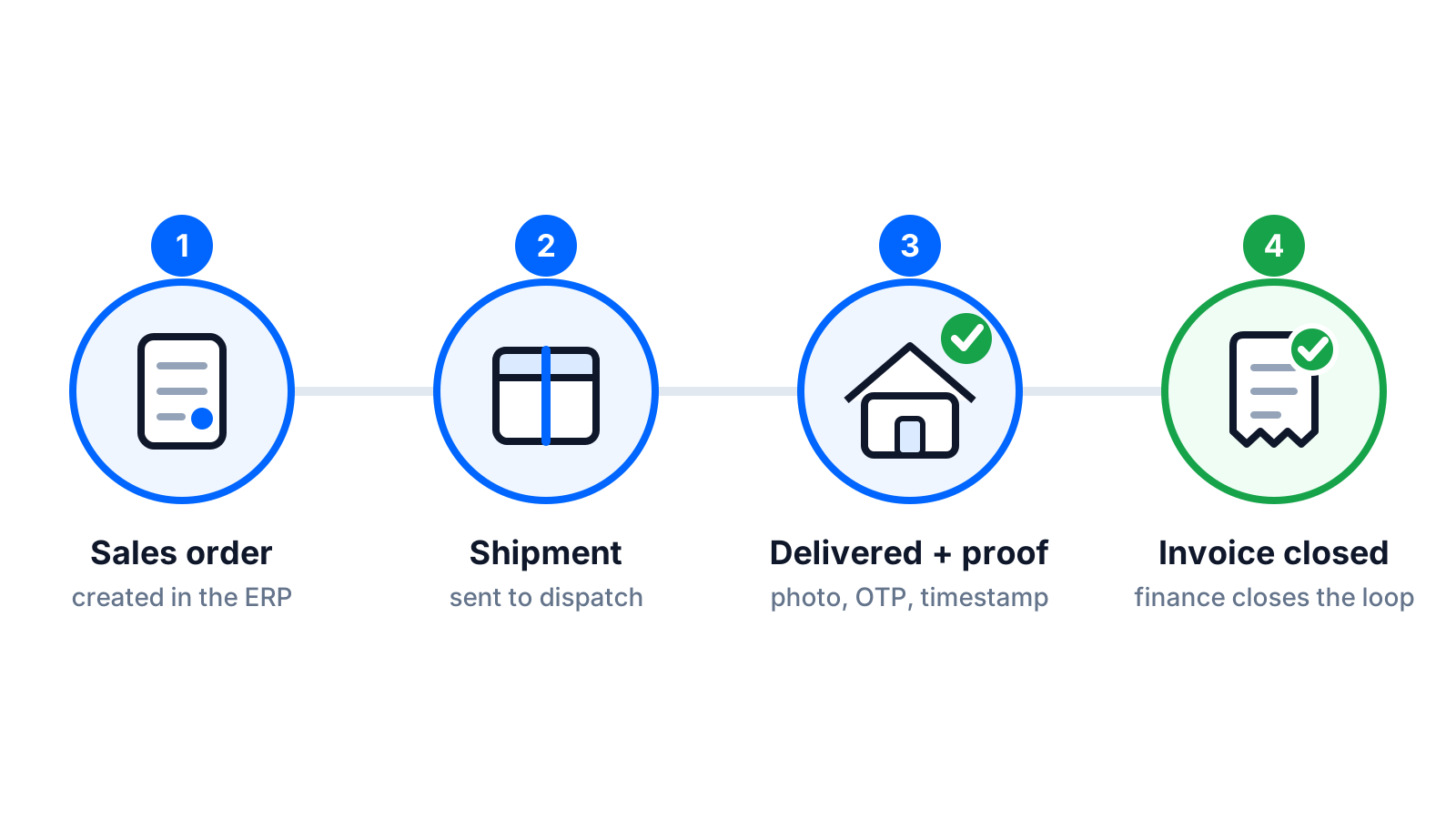
The loop: from sales order to closed shipment
Sales order and shipment out of Acumatica
The trigger is the Acumatica shipment, not the sales order. A sales order can be split across several shipments and dates, and the shipment is the document that represents 'these lines, from this warehouse, on this day'. When a shipment reaches the status you choose (typically Open or Confirmed), the integration creates a Geofleet order carrying the customer, ship-to address and contact, shipment lines and quantities, requested date, freight terms, and any delivery instructions from the order.
Warehouse-to-route handoff
This is the step to design carefully. Two patterns work. In the first, Acumatica confirms the shipment when picking is complete, the Geofleet order is created, and the Captain scans the shipment label at loading to mark it picked up. In the second, the Geofleet order is created earlier (at Open) so routes can be planned the night before, and the Captain's scan at loading is what confirms the shipment in Acumatica. The second pattern gives planners more lead time; the first is simpler to audit. Choose one and make the Shipping Label Configuration match, so the barcode on the packing slip is the same one the driver app expects.
Execution in Geofleet
From here the delivery runs like any other Geofleet order. Auto allocation or the Smart Planner assigns the order to a Captain and sequences the route. The customer gets a branded tracking link. The Captain follows the route, captures proof of delivery per line if you need it, and records any exception: refused, partial, wrong address, not home. B2B deliveries often need a name and signature from a receiving clerk plus a photo of the pallet on the dock; both are standard proof options.
Write-back to Acumatica
On completion, Geofleet writes back to the Acumatica shipment: delivered timestamp, proof of delivery (signature, photo, and the name of the person who signed), GPS-measured distance, delivered quantities per line, and any exception codes. Depending on your configuration, the delivered event can move the shipment to Completed and release the invoice through the normal Acumatica prepare-invoice process, or it can update custom fields and leave the release to a finance user.
"Our controller's rule was simple: no signature, no invoice. Before the integration that meant waiting for paper. Now the signature is on the shipment within a minute of the drop, and invoicing runs the same evening."
— Operations director, regional building materials distributor
What flows back, and why finance cares
Most delivery integrations stop at status. An ERP-grade integration has to return the fields that finance and customer service act on. The table lists what Geofleet writes back to the Acumatica shipment and what each field is used for downstream.
| Field written back | Where it lands in Acumatica | What it enables |
|---|---|---|
| Delivered timestamp | Shipment date/time, custom delivered-on field | Invoice on delivery; on-time reporting against the promised date |
| Proof of delivery (signature, photo, signer name) | Attachment on the shipment, link on the invoice | Dispute resolution; customer portal access to the POD |
| Delivered quantity per line | Shipment line quantities | Short-ship handling, back-order creation, accurate invoicing |
| Exception code and note | Shipment custom field, optional case | Refusals, damages, and failed attempts surface the same day |
| GPS-measured distance | Freight cost field or custom attribute | Freight recharges, Captain payout, route cost analysis |
| Tracking URL | Shipment tracking number / URL field | Acumatica shipment tracking visible to sales and service |
| Captain and vehicle | Custom fields | Audit trail and carrier-style reporting |
Why the timestamp matters more than the status
A status tells you what happened. A timestamp lets you prove when, which is what revenue recognition, SLA credits, and demurrage-style waiting charges all depend on. Make sure the delivered time written back is the Captain's on-site completion time, not the time the sync job ran.
B2B distribution use cases
The mechanics above are the same across industries, but the details that matter differ. Three common Acumatica logistics profiles illustrate the range.
Building supplies
Deliveries are heavy, often to construction sites with no formal address, and frequently need a crane or forklift at the far end. Site contact and delivery instructions from the Acumatica order have to reach the Captain intact, and the proof of delivery usually needs a photo of the load on site plus a signature from the site foreman. Partial deliveries are routine when a truck cannot take a full order in one trip. See the building supplies industry page for the full picture.
Automotive parts
High-frequency, low-value drops to workshops, sometimes several a day to the same customer. What matters is speed from shipment confirmation to dispatch and accurate line-level delivery so warranty and core returns reconcile. Returns pickups are often bundled with the next delivery, which means the Geofleet order needs a pickup line as well as drop lines.
Manufacturing
Scheduled deliveries to a small number of large customers, frequently with strict dock windows and proof requirements defined in the customer contract. The value here is less about routing and more about the write-back: delivered timestamps and signed PODs feeding invoicing and on-time reporting per customer. The manufacturing industry page covers the wider operating model.
Partial deliveries, returns, and reconciliation
Partial deliveries
When a Captain delivers fewer units than the shipment line, the delivered quantity is written back per line and the shortfall is flagged. Your Acumatica configuration then decides what happens: generate a back-order shipment for the balance, invoice only the delivered quantity, or hold the invoice for review. The key is that the decision is made once, in configuration, rather than per incident by a person on the phone.
Returns and refusals
A refused delivery is an exception, not a completed delivery, and it comes back to Acumatica that way with the reason and photo. A planned return pickup is created from the ERP as its own document (an RMA or return shipment) and flows into Geofleet as a pickup order, so the reverse leg has the same tracking and proof as the forward leg. The reverse logistics post linked below covers pickup windows and COD refunds in more depth.
Reconciliation
Because every Geofleet order carries the Acumatica shipment number, end-of-day reconciliation is a join, not a hunt. Delivered shipments should have a delivered timestamp, a POD, and a released invoice. Anything missing one of those three is an exception list, and a short one. Add cash on delivery and the same join covers collected amounts against the Acumatica AR document.
Run the three-column check daily
For every shipment marked delivered today: is there a timestamp, is there a POD attachment, is the invoice released? A daily list of rows failing any one of those tells you within 24 hours whether the integration or the process has a gap.
Acumatica shipment tracking for customers and sales reps
The write-back includes the tracking URL, which means Acumatica's own shipment screen becomes a tracking screen. A sales rep looking at a customer's order sees where the truck is without opening another system. The same URL, configured under Tracking URL Configuration to use your domain and branding, goes to the customer via the Acumatica notification or Geofleet's own SMS and email templates. Choose one channel to avoid double notifications; most teams let Geofleet send delivery-stage messages and keep order confirmations in the ERP.
Rollout checklist
- Agree the trigger status (Open or Confirmed) and the handoff pattern with the warehouse lead before anything is configured.
- Map ship-to addresses and contacts; clean the worst offenders with AI address cleanup before the first live day.
- Decide the write-back policy for partials and holds in Acumatica, and test it with a deliberately short-shipped order.
- Configure proof of delivery requirements per customer class, for example signature plus photo for site deliveries.
- Run a week in parallel with the existing paper process, reconciling the three-column check each evening.
- Cut over one warehouse or one route group first, then expand once write-back failures are at zero for a week.
Expect the integration itself to be the smaller half of the work. The larger half is the process decisions above, and the good news is that they are decisions your team already knows how to make.
Related reading
Frequently asked questions
Does the Acumatica integration use the sales order or the shipment?
The shipment. A sales order can be split across multiple shipments and dates, and the shipment represents the specific lines leaving a specific warehouse on a specific day. Geofleet creates a delivery order when the shipment reaches the status you configure, usually Open or Confirmed.
What data is written back to Acumatica after delivery?
Delivered timestamp, proof of delivery (signature, photo, signer name), delivered quantity per line, exception codes and notes, GPS-measured distance, the tracking URL, and the Captain and vehicle. These land on the shipment record and its attachments, and can trigger the invoice release.
Can invoicing be triggered by delivery instead of shipment confirmation?
Yes. When the delivered event is written back, the shipment can move to Completed and release the invoice through the standard Acumatica prepare-invoice flow. Alternatively the integration updates fields only and a finance user releases invoices in a batch.
How are partial deliveries handled?
Delivered quantities are written back per line and the shortfall is flagged. Acumatica configuration then decides whether to create a back-order shipment for the balance, invoice only what was delivered, or hold the invoice for review.
Does it support returns and pickups?
Yes. A return document in Acumatica (RMA or return shipment) flows into Geofleet as a pickup order with the same tracking and proof of delivery as an outbound delivery. Refused deliveries are written back as exceptions with the reason and photo.
Do we need developers to set up the Acumatica delivery integration?
Not for the standard flow. The native connector handles shipment ingestion and write-back with configuration rather than code. Custom fields or unusual document flows may need an Acumatica administrator to expose them; heavier customisation can use webhooks and the batch API.