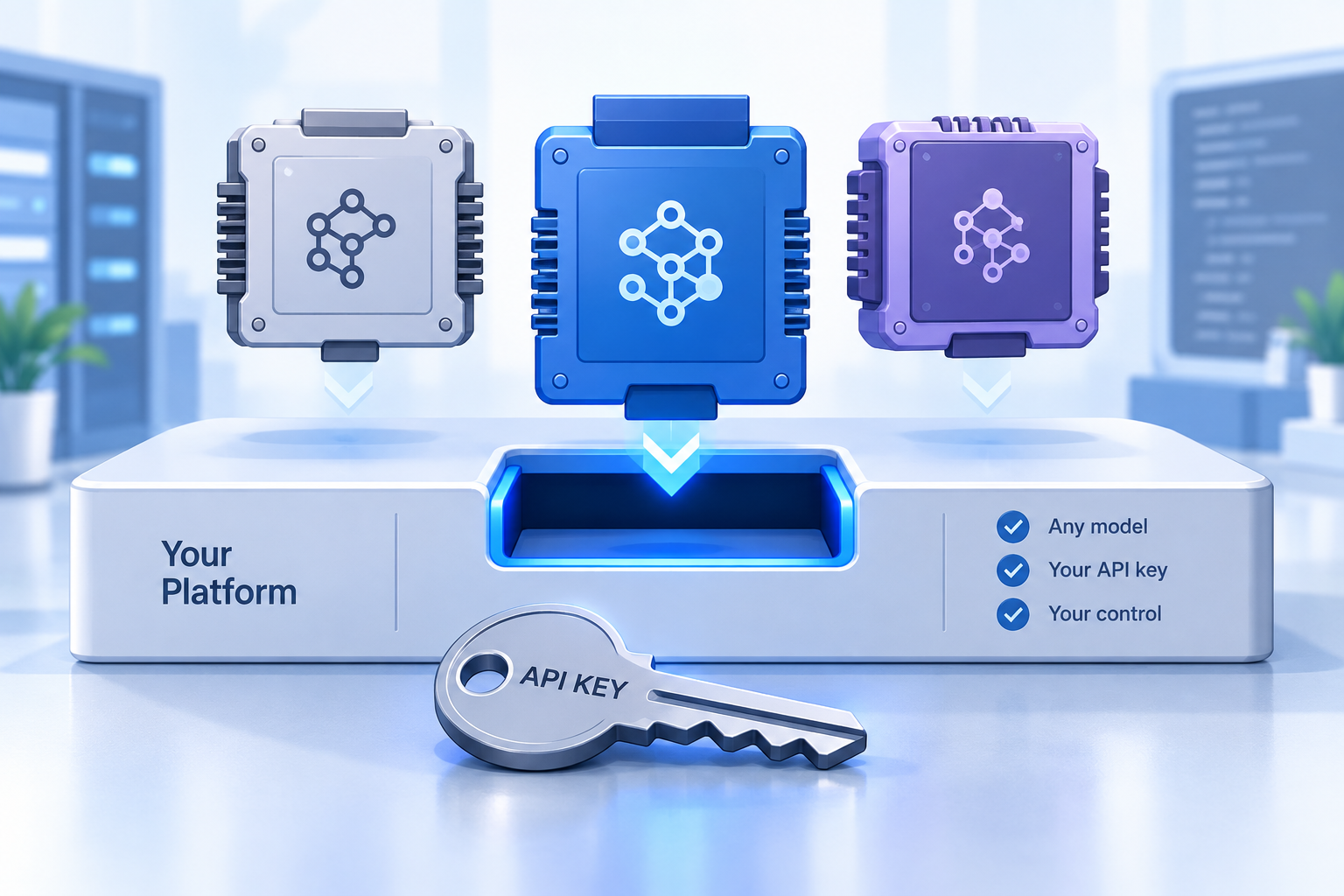
Every AI feature in a dispatch platform runs on a large language model somewhere. Until recently, the customer had no say in which model, whose account, or what rate. Bring your own LLM (BYO-LLM) changes that. In Geofleet, you open Settings, go to Developer, then Integrations, find the LLM model providers section, pick your provider, and enter your own API key. From that point, the dispatch copilot, AI agents, MCP-driven assistants, and address cleanup all run through your provider account.
This post covers what that means in practice: how the provider picker works, what changes in the data flow, how cost control works when you pay the provider directly, how to choose models by task, how switching works, and how to set it up in a few minutes.
What bring your own LLM means in Geofleet
One setting, every AI feature
BYO-LLM is not a separate product tier or a special deployment. It is a configuration in your tenant settings. The LLM model providers section lists the providers Geofleet can talk to: OpenAI (GPT models), Azure OpenAI, and other providers. You choose one and paste the API key from your own account. For Azure OpenAI you also supply the endpoint and deployment name. Geofleet stores the key for your tenant and uses it for every model call made on your behalf.
Nothing changes in your day-to-day workflows. Dispatchers keep asking the copilot the same questions. Agents keep watching for exceptions. The MCP server keeps exposing the same tools. What changes is the account those calls are billed to and the contract the data travels under.
- Dispatch copilot: natural-language questions about orders, routes, Captains, and SLAs, answered from live data.
- AI agents: exception handling, SLA watch, reassignment proposals, and customer-notification drafting.
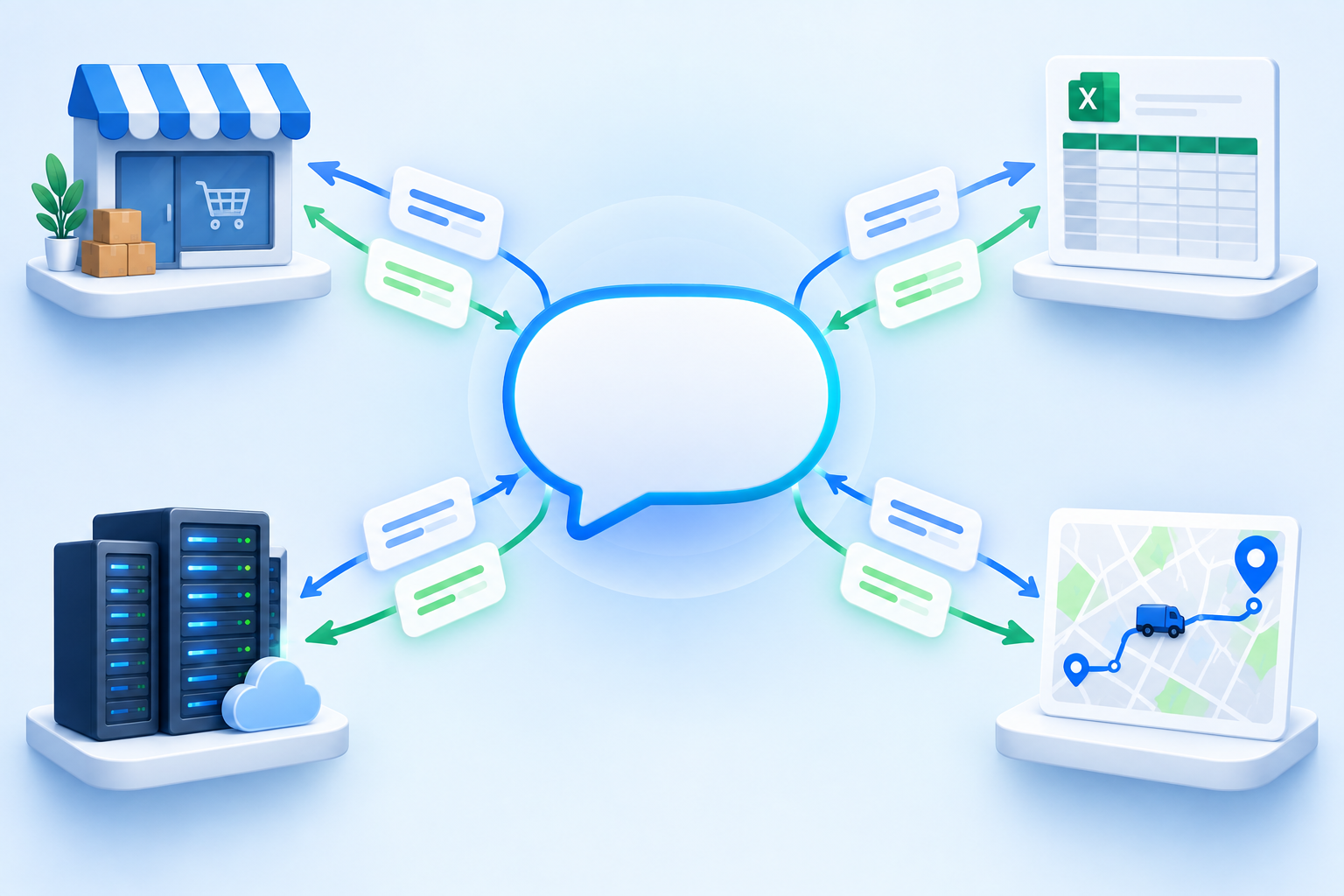
- MCP-driven assistants: any MCP-compatible host that queries Geofleet alongside Shopify, Google Sheets, or your ERP.
- Address cleanup and note classification: normalising messy addresses and tagging free-text instructions such as gate codes or call-first requests.
What changes in the data flow
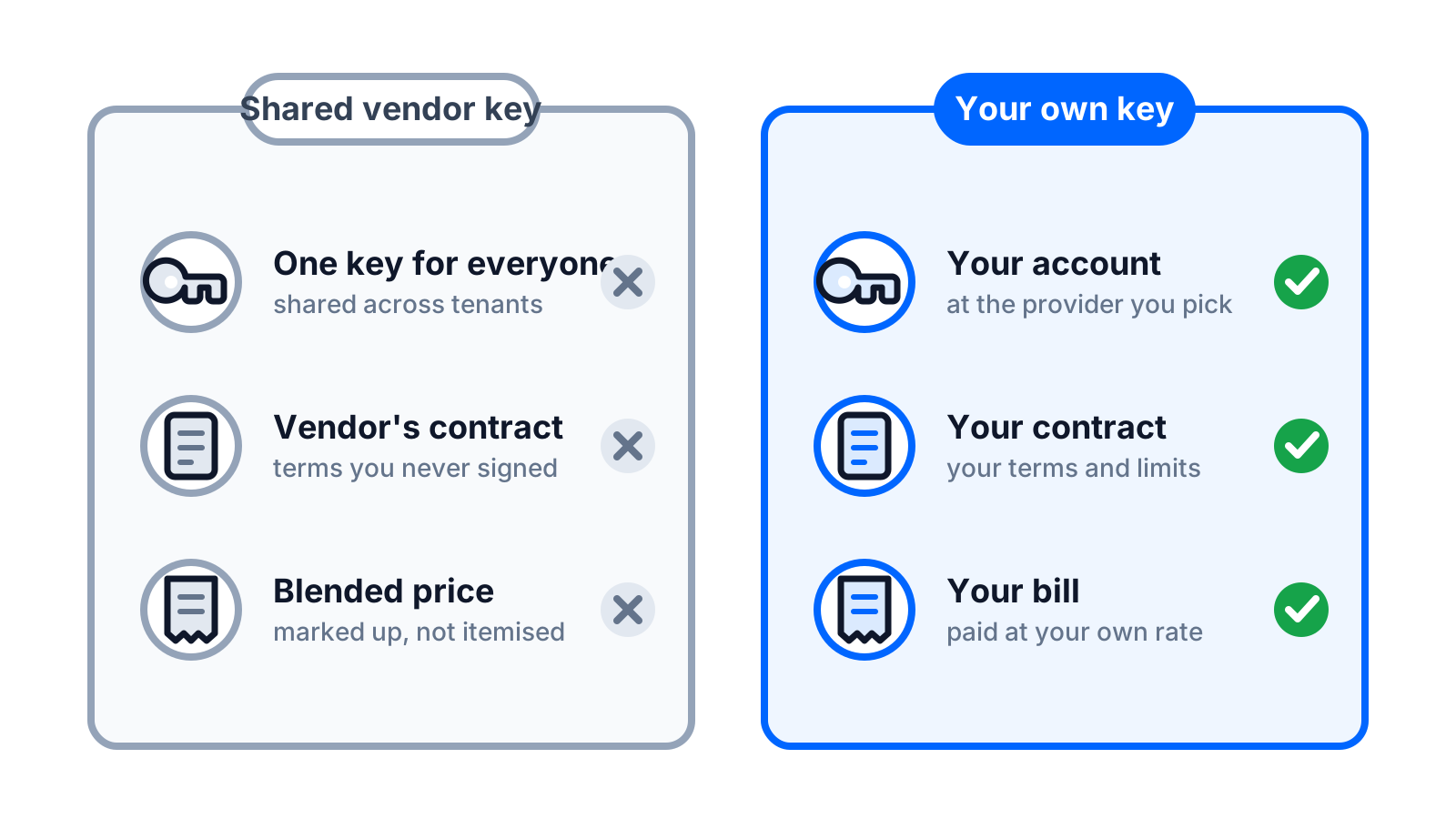
Under a shared-key model, a software vendor holds one model account and routes every customer's prompts through it. The vendor's account, the vendor's rate, the vendor's contract with the model provider. Your delivery addresses, customer phone numbers, and driver locations pass through an account you never signed for and cannot inspect.
With BYO-LLM, Geofleet builds the prompt for your tenant and sends it directly to the provider you configured, authenticated with your key. Geofleet does not route it through a shared Geofleet-owned model account. The provider sees your account making the request, applies the data-handling terms you agreed with them, and bills you.
- Your key, your account: the model provider identifies the caller as you, not as your software vendor.
- Your terms: the enterprise agreement, retention settings, and regional options you negotiated with the provider apply to these requests.
- Your visibility: usage appears on your provider dashboard, broken down by day and by model.
- Your off switch: revoke the key at the provider and every Geofleet AI feature stops calling that account immediately.
What BYO-LLM does not change
Geofleet still constructs prompts, calls tools, and stores your operational data (orders, routes, proof of delivery) in your Geofleet tenant as before. BYO-LLM changes where model inference happens and who holds that contract. It is not a self-hosted deployment of Geofleet, and it does not remove the need for the guardrails described later in this post.
Cost control: pay your provider at your rate
When AI usage is bundled into a per-seat or per-order software price, the cost is invisible and usually padded. The vendor has to cover its heaviest users, so everyone pays a blended margin. When you bring your own key, model spend appears as a line on your provider bill, at whatever rate you negotiated.
For teams with an existing enterprise agreement, that often means committed-spend discounts already in place, consolidated invoicing, and spend alerts your finance team already monitors. For smaller teams it means paying only for what dispatchers and agents actually use, and seeing the number instead of guessing it.
A useful side effect is that cost becomes a conversation you can have with data. If the copilot is asked 400 questions a day and each one costs a fraction of a cent, you know that. If an agent workflow is unexpectedly expensive, the provider dashboard shows it the same day. We walk through a worked example, including which features consume tokens and where the levers are, in our guide to AI dispatch cost when you pay the provider directly.
Set a budget at the provider before you paste the key
Most providers let you set a monthly spend cap and an alert threshold per project or key. Create a dedicated project for Geofleet, set the cap, and generate the key inside that project. You get isolation, a clean usage view, and a hard ceiling on the first month.
Choose the model by the task
Not every AI call needs the strongest model. A large share of what a dispatch platform asks a model to do is short and structured: classify a note, normalise an address, pick a category. Those calls are cheap on a small, fast model and wasteful on a frontier model. Longer reasoning, such as an agent deciding how to rebalance a route after two failed attempts, benefits from a stronger model and is worth the extra tokens.
| Task | Prompt shape | Suggested tier | Why |
|---|---|---|---|
| Address cleanup | Short, structured input and output | Small, fast | High volume, low ambiguity, latency matters at import time |
| Note classification (gate code, call first, fragile) | One sentence in, one label out | Small, fast | Thousands of calls a day at fractions of a cent each |
| Copilot Q&A over live data | Question plus several tool results | Mid or large | Needs to combine multiple tool outputs into one accurate answer |
| Agent exception handling | Long, multi-step, with tool calls | Large | Reasoning quality affects real-world actions and customer contact |
| Report narration and summaries | Medium, mostly numbers in | Mid | Readability matters, operational risk is low |
With your own account you pick the model or deployment that fits each provider, and you can move to a newer version as soon as the provider releases it, without waiting for a software vendor to update a shared configuration for every customer at once.
Vendor independence and switching
Model providers move quickly. Pricing changes, new models ship every few months, and regional availability differs by provider. Locking your dispatch AI to whichever provider your software vendor picked two years ago is a weak position, and it becomes a problem the moment procurement, legal, or IT standardises on something else.
BYO-LLM keeps the choice with you. Moving from OpenAI to Azure OpenAI, or to another provider, is a change in the same settings panel: select the new provider, enter the new credentials, save. The prompts, tools, and workflows are unchanged. Teams with strict uptime requirements can keep a second key ready as a fallback for provider outages or quota ceilings.
"We already had an Azure agreement with committed spend. Running the dispatch copilot through it was a five-minute change and moved the cost onto a bill our finance team already reviews every month."
— IT lead, regional B2B distributor
Microsoft-first enterprises, including many that run ERPs such as Acumatica or Dynamics, usually land on Azure OpenAI because it sits inside the tenant boundary they already govern. We cover that setup step by step in our Azure OpenAI for logistics guide.
Setup walkthrough
- In your provider account, create a dedicated project for Geofleet and generate an API key with model access only. Do not reuse an admin or organisation-wide key.
- Set a monthly spend limit and an alert threshold on that project.
- In Geofleet, open Settings, then Developer, then Integrations, and scroll to LLM model providers.
- Choose the provider. For OpenAI, paste the key and select the model. For Azure OpenAI, enter the endpoint URL, the deployment name, and the key.
- Save, then open the dispatch copilot and ask a test question such as which orders are at risk of missing their window today.
- Confirm the request appears on your provider usage page under the Geofleet project.
- Roll out to the dispatch team and enable agent write actions with approval, following the guardrails guide linked below.
MCP-driven assistants pick up the same provider setting automatically. If you want concrete prompts to try on day one, our MCP cookbook for dispatch teams lists 15 of them grouped by role.
Who should turn this on first
- Teams with data residency or sub-processor requirements, where the model account and region need to be yours. See our AI data residency guide.
- Enterprises with an existing OpenAI or Azure agreement and committed spend they would rather use than duplicate.
- High-volume operations where AI usage is large enough that a blended per-seat price is clearly more expensive than direct token cost.
- Regulated deliveries such as pharmacy and medical supplies, where procurement will ask exactly where patient addresses are processed.
If none of those apply yet, BYO-LLM still costs nothing to enable and gives you a usage baseline. Most teams find the visibility alone is worth the ten minutes of setup.
Related reading
Frequently asked questions
What does bring your own LLM mean in delivery software?
It means the software runs its AI features on a model provider account that you own. You choose the provider (for example OpenAI or Azure OpenAI), supply your own API key, and the platform sends prompts to that account rather than to a shared account owned by the software vendor.
Which AI providers can I use with Geofleet?
The LLM model providers section in Settings, Developer, Integrations currently lists OpenAI (GPT models) and Azure OpenAI, alongside other providers. You select one and enter the credentials for your own account. For Azure OpenAI you also provide the endpoint and deployment name.
Does Geofleet still send my data through its own model account?
No. Once you configure a provider and key, Geofleet sends prompts for your tenant directly to that provider using your key. It does not route them through a shared Geofleet-owned model account. Your operational data continues to live in your Geofleet tenant as before.
How is AI usage billed with BYO-LLM?
Your model provider bills you directly for the tokens consumed, at the rate on your account. Geofleet does not add a markup on model usage. You can set spend limits and alerts at the provider and see usage broken down by day and model on your provider dashboard.
Can I use a cheaper model for some tasks and a stronger one for others?
Yes. Short, structured tasks such as address cleanup and note classification work well on small, fast models. Multi-step agent reasoning benefits from a larger model. Pick the model or deployment that fits your workload, and change it later without touching your workflows.
What happens if I switch providers later?
Switching is a settings change. Select the new provider in the LLM model providers section, enter the new credentials, and save. Your prompts, tools, agents, and MCP integrations continue to work unchanged. Many teams keep a second key configured as a fallback.