AI dispatch cost is one of the first questions an operations lead asks and one of the last a vendor answers clearly. When the model usage is buried in a per-seat subscription, the honest answer is that nobody outside the vendor knows. When you bring your own model provider, as Geofleet now allows, the cost becomes a line on your provider bill, and you can estimate it before you turn anything on.
This guide walks through which Geofleet AI features consume tokens and roughly how, a worked example for a 500-order-a-day operation with every assumption labelled, the levers that reduce the bill, and how to keep it visible over time. We do not quote real provider list prices as facts, because they change; we use placeholder rates and tell you where to check the current ones.
Which Geofleet AI features consume tokens
A token is roughly three quarters of a word. Every AI call sends a prompt (input tokens) and receives a response (output tokens), and providers price the two separately. What drives cost is not the number of features but the shape of the calls each one makes.
| Feature | Trigger | Typical prompt shape | Approx. tokens per call | Model tier |
|---|---|---|---|---|
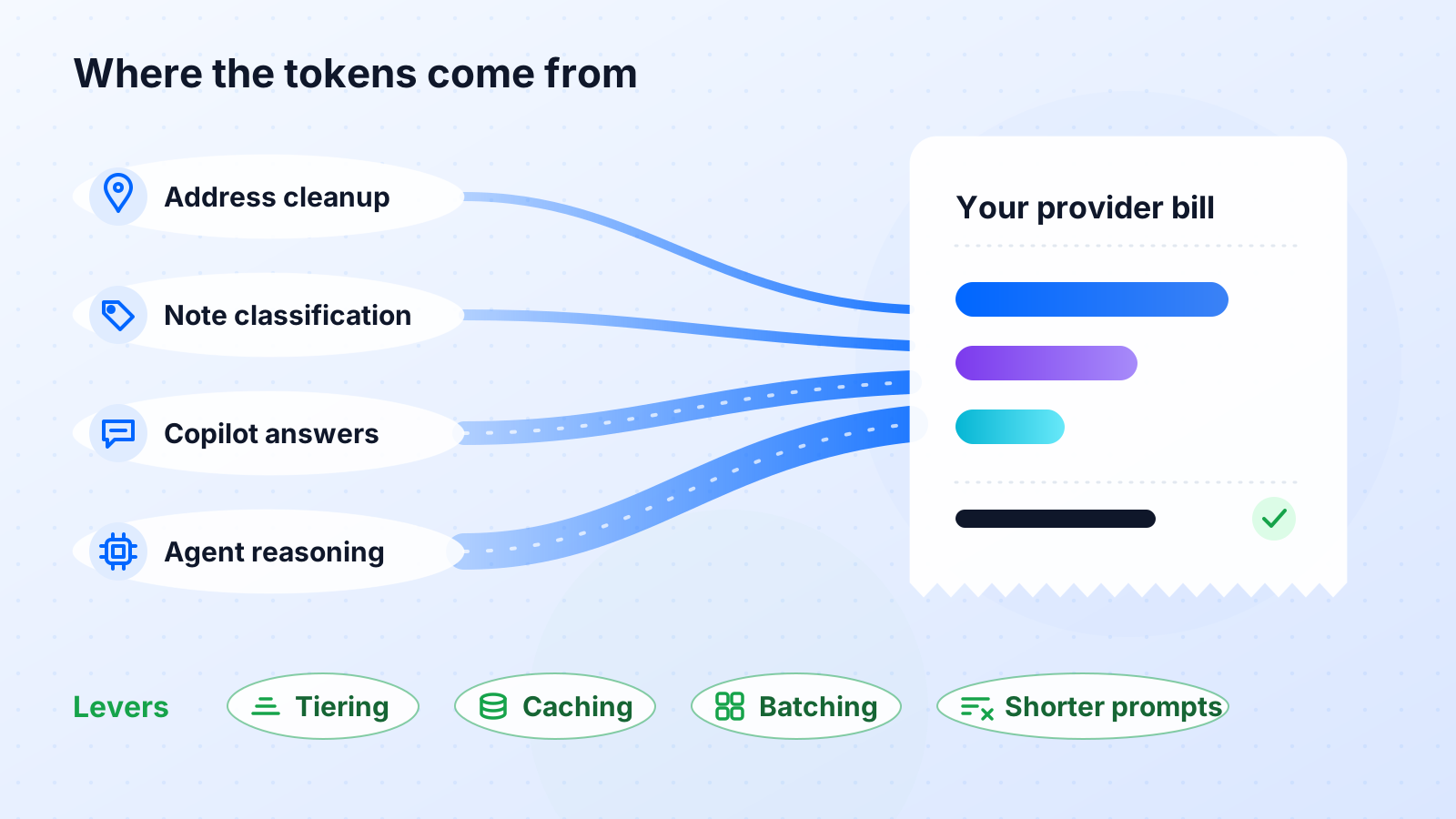
| Address cleanup | Each imported order with an ambiguous address | Raw address in, normalised address out | 300 to 500 | Small |
| Note classification | Each order with a free-text note | Note in, one or two labels out | 200 to 400 | Small |
| Dispatch copilot | Each dispatcher question | Question plus several tool results | 3,000 to 8,000 | Mid or large |
| AI agents | Each exception or SLA event handled | Multi-step reasoning with tool calls | 5,000 to 15,000 | Large |
| MCP-driven assistants | Each cross-system prompt | Prompt plus results from multiple servers | 5,000 to 12,000 | Mid or large |
| Report narration | Each generated summary | Numbers in, short prose out | 1,500 to 3,000 | Mid |
Two features that people assume are AI-heavy are not: auto allocation and route planning are optimisation engines, not language models, and do not consume tokens. Our auto allocation explainer covers how that works.
The three variables in the estimate
AI dispatch cost per month equals the sum over features of calls per month, multiplied by tokens per call, multiplied by the rate per token for the model used. Each variable comes from a different place.
- Calls per month: from your own operation. Orders per day drive the short calls; dispatcher headcount and exception rate drive the long ones.
- Tokens per call: from the table above, refined after two weeks of real usage on your provider dashboard.
- Rate per token: from your provider price list or your negotiated agreement. Check the current published rates for each model tier; they change.
Worked example: a 500-order-a-day operation
Everything below is illustrative. The volumes are plausible for a mid-size regional operation and the rates are placeholders, not any provider’s price list. Swap in your own numbers.
Assumptions
- 500 orders a day, 26 operating days a month.
- Address cleanup on every order at 400 tokens; note classification on every order at 300 tokens. Both on the small tier.
- 60 copilot questions a day at 6,000 tokens each; 40 agent runs a day at 8,000 tokens; 30 MCP assistant prompts a day at 10,000 tokens. All on the large tier.
- Placeholder blended rates: $X per million tokens on the small tier and $Y per million on the large tier. For a rough feel we use $0.50 for X and $5.00 for Y, purely as round illustrative figures. Check current published rates.
Arithmetic
- Small tier: 500 times (400 + 300) = 350,000 tokens a day, about 9.1 million a month. At $0.50 per million that is about $4.55 a month.
- Large tier: (60 times 6,000) + (40 times 8,000) + (30 times 10,000) = 980,000 tokens a day, about 25.5 million a month. At $5.00 per million that is about $127 a month.
- Total: roughly $132 a month, or about one cent per order, under these assumptions.
Illustrative result
Under the placeholder assumptions above, a 500-order-a-day operation spends on the order of $130 a month on model usage. Your figure will differ with real rates and real usage, but the order of magnitude is what matters: it is small next to the cost of a single failed delivery.
The example also shows where the money is. The small tier handles 1,000 calls a day for a few dollars a month. The large tier handles 130 calls a day and accounts for almost all of the bill. Every lever below aims at that large-tier line.
For scale, our real cost of failed deliveries guide puts the price of one failed attempt at many multiples of that per-order AI figure. If the copilot and agents prevent a handful of failures a week, the AI line pays for itself several times over.
Levers that cut AI dispatch cost
Model tiering
The largest lever by far. If the example above ran every call on the large tier, the small-tier work alone would cost ten times more. Route address cleanup and classification to a small, fast model and keep the large model for copilot, agents, and MCP reasoning. With bring-your-own-LLM you choose the model or deployment for each, and on Azure OpenAI that maps naturally to two deployments, as our Azure guide describes.
Prompt length
Long calls are long because tool results are included. Returning only the fields a question needs, capping list sizes, and summarising route events instead of dumping them can halve the input tokens on copilot and agent calls. This is also good security practice, as our guardrails guide explains under PII minimisation.
Caching
Many prompts share a large, stable prefix: the system instructions, tool definitions, and tenant configuration. Several providers offer prompt caching that charges less for repeated prefixes. Where your provider supports it, structure prompts so the stable part comes first, and the saving applies automatically to every copilot and agent call.
Batching
Address cleanup and note classification do not need to run one order at a time during import. Batching twenty orders into a single call reduces per-call overhead, and where your provider offers a discounted batch mode for non-urgent work, overnight cleanup of tomorrow’s orders can use it.
| Lever | Applies to | Typical effect | Effort |
|---|---|---|---|
| Model tiering | Short structured calls | Removes most of the small-task cost | Configuration only |
| Prompt length | Copilot, agents, MCP | Cuts input tokens on the most expensive calls | Prompt and tool response design |
| Caching | Any call with a stable prefix | Lower price on repeated instructions and tool definitions | Provider setting plus prompt ordering |
| Batching | Import-time cleanup and classification | Fewer calls; possible discounted batch rate | Scheduling change |
| Rate limits and caps | Everything | Bounds the worst case | Provider and Geofleet settings |
"We assumed AI would be the expensive line. After the first month on our own key it was smaller than our SMS bill, and moving classification to a small model made it a rounding error."
— Operations director, regional grocery delivery
How BYO-LLM makes the cost visible
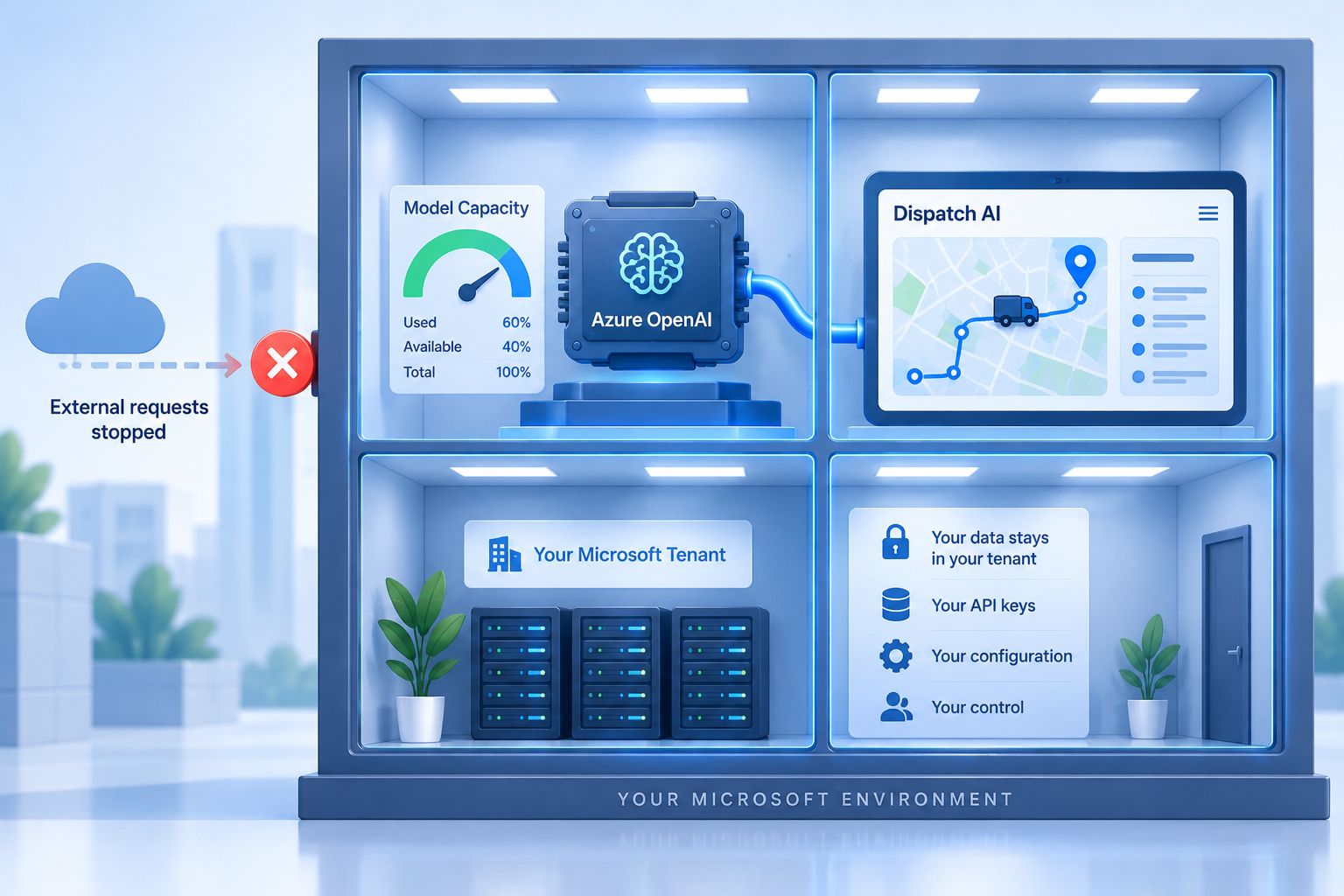
When Geofleet runs through your own provider account, configured under Settings, Developer, Integrations, in the LLM model providers section, every call is billed to you at your rate and shows on your provider dashboard. You can see tokens by day and by model, set a monthly cap, and receive alerts at thresholds you choose. There is no vendor markup on model usage and no blended margin hiding the heaviest users.
- Create a dedicated project or deployment for Geofleet so its usage is separated from any other AI work in your organisation.
- Set a spend cap for the first month at two to three times your estimate, then tighten it once real usage is known.
- Review tokens per feature after two weeks and update the estimate. Real usage is the only number that matters.
- If you have committed spend with a provider, this usage draws it down instead of adding a second bill.
Put the estimate next to the ROI
Run the arithmetic above with your own volumes, then compare it against the savings from fewer failed deliveries, faster dispatch, and reduced manual reporting. Our ROI calculator gives you the other side of the equation.
A quick estimate template
- Count orders per day and operating days per month.
- Estimate daily copilot questions (dispatcher headcount times questions each), agent runs (exception rate times orders), and MCP prompts.
- Multiply each by the tokens per call from the cost-driver table, split by tier.
- Look up the current published rate for each tier on your provider, or use your negotiated rate.
- Multiply, sum, and divide by monthly orders for a per-order figure.
- Enable BYO-LLM, run for two weeks, and replace the estimates with dashboard numbers.
That is the whole method. The point of paying the provider directly is not only that it is usually cheaper. It is that you can do this arithmetic at all, and keep doing it as the operation grows.
Related reading
Frequently asked questions
How much does AI dispatch software cost per order?
When you pay the model provider directly, the AI component is a function of calls, tokens per call, and your provider rate. Under illustrative assumptions for a 500-order-a-day operation, it works out to roughly a cent per order. Your figure depends on current provider rates and your actual usage.
Which AI features in dispatch software use the most tokens?
Copilot questions, AI agent runs, and MCP-driven assistant prompts, because each includes tool results and multi-step reasoning, typically several thousand tokens per call. Address cleanup and note classification are a few hundred tokens each and cheap on a small model.
Does route optimisation or auto allocation consume LLM tokens?
No. Those are optimisation engines rather than language models and do not make model calls. Token cost comes from the copilot, agents, MCP assistants, address cleanup, note classification, and report narration.
What is the best way to reduce LLM API cost in logistics?
Model tiering: route short, structured tasks to a small model and keep the large model for reasoning. After that, trim prompt length by returning only needed fields, use prompt caching where your provider supports it, and batch import-time cleanup.
Does Geofleet charge a markup on AI usage with bring-your-own-LLM?
No. With your own provider and key configured under LLM model providers, the provider bills you directly at your rate. Geofleet does not add a margin on model usage, and the spend appears on your provider dashboard.
How do I control AI spend before I know real usage?
Create a dedicated project or deployment for Geofleet at your provider, set a monthly cap at two to three times your estimate, add alert thresholds, and review tokens per feature after two weeks. Then tighten the cap to match real usage.