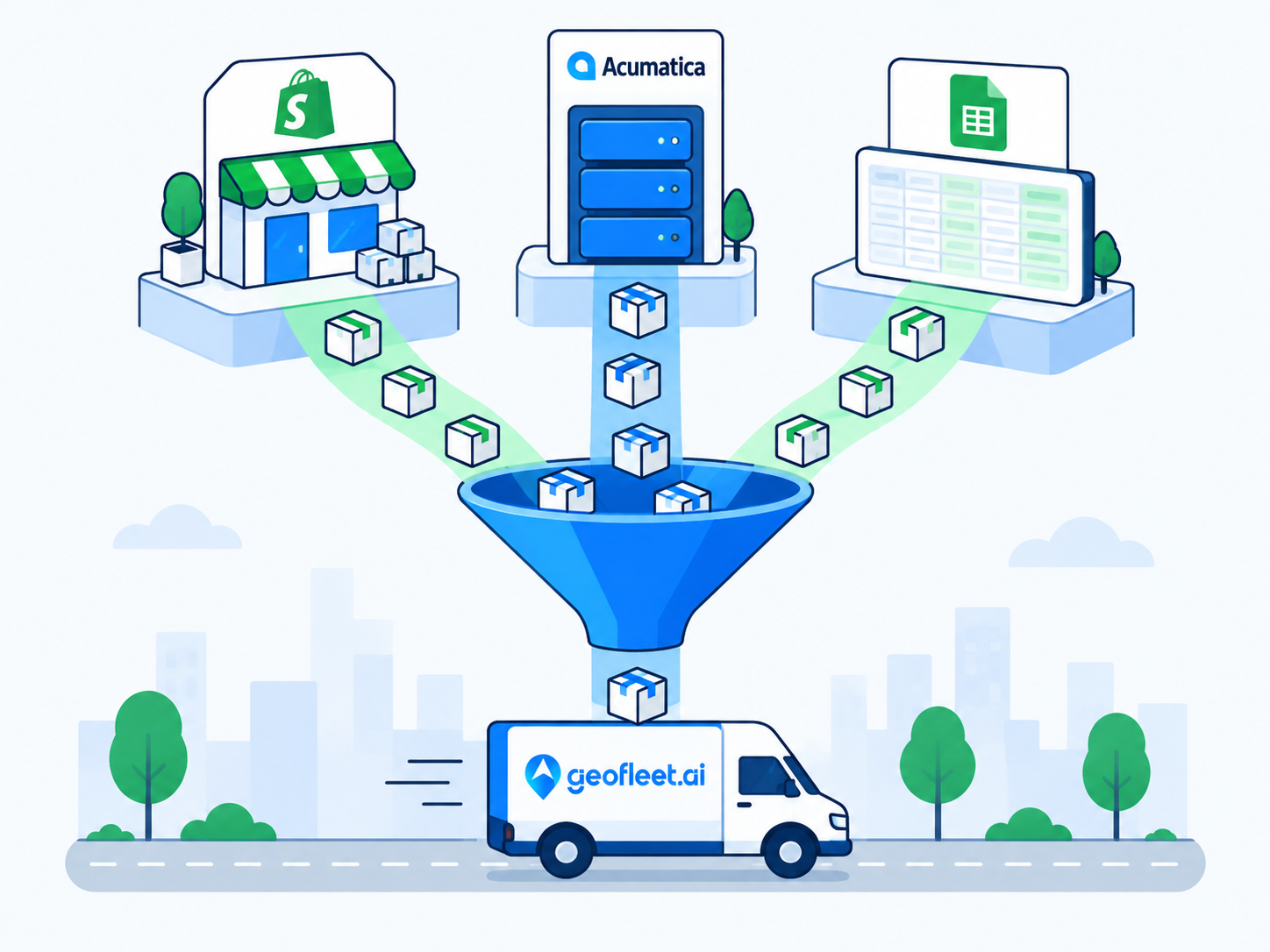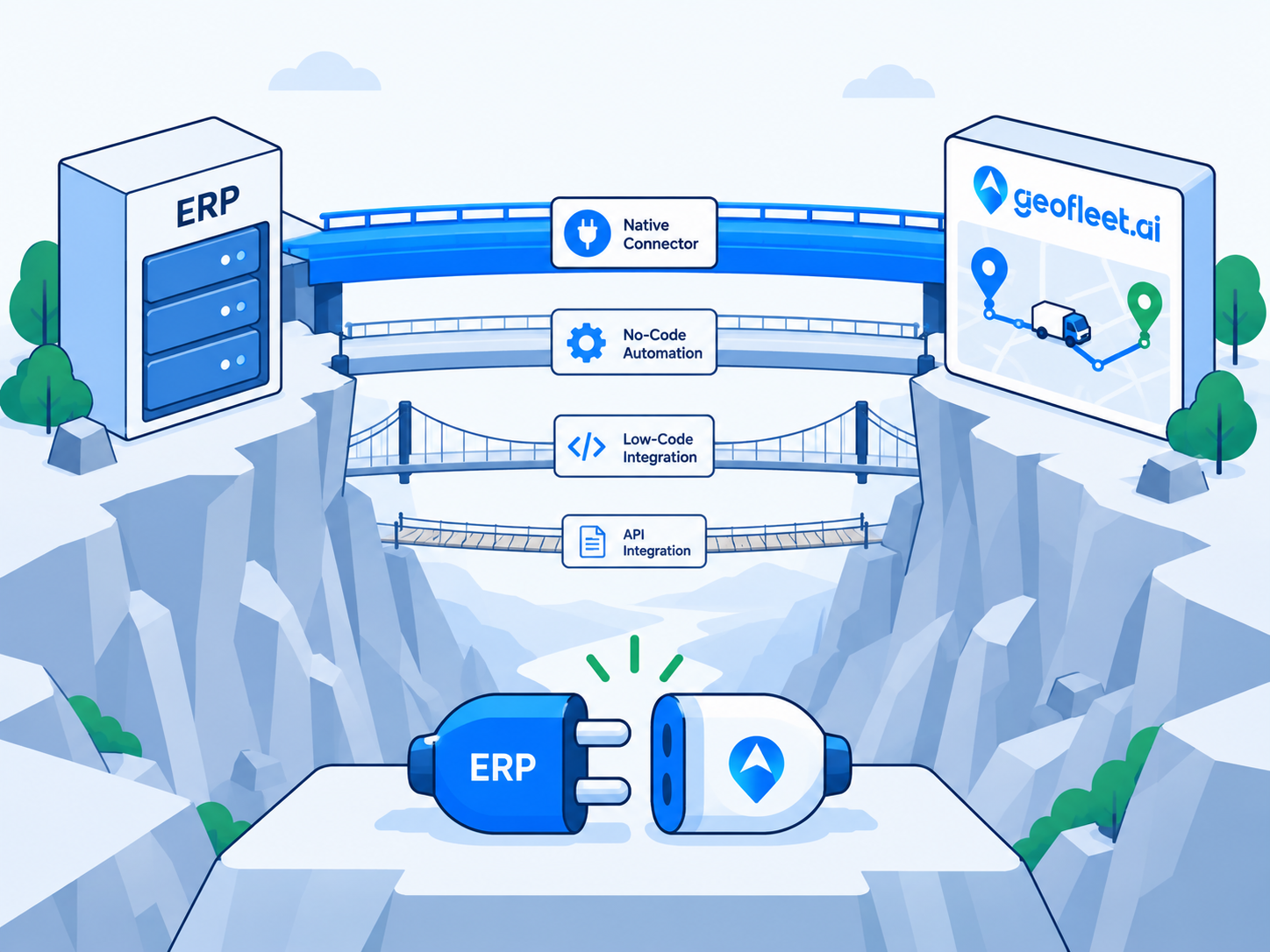
ERP delivery integration used to mean a six-figure project: consultants, a middleware licence, and custom code that nobody wanted to touch afterwards. That is no longer the default. Between native connectors, the Model Context Protocol, standard webhooks with a batch API, and plain CSV, most operations can connect their ERP to a delivery platform with configuration rather than code. The choice is about effort, real-time requirements, and how much you need to shape the flow.
This guide lays out the four paths in order of effort, using Geofleet and Acumatica as the worked example for the native path, then covers the parts that decide whether an integration survives contact with production: data ownership, idempotency, error handling, sandbox testing, and a four-week rollout plan. It is written for the IT lead or operations director who owns the outcome, not the developer who might one day write against the API.
What an ERP delivery integration needs to move
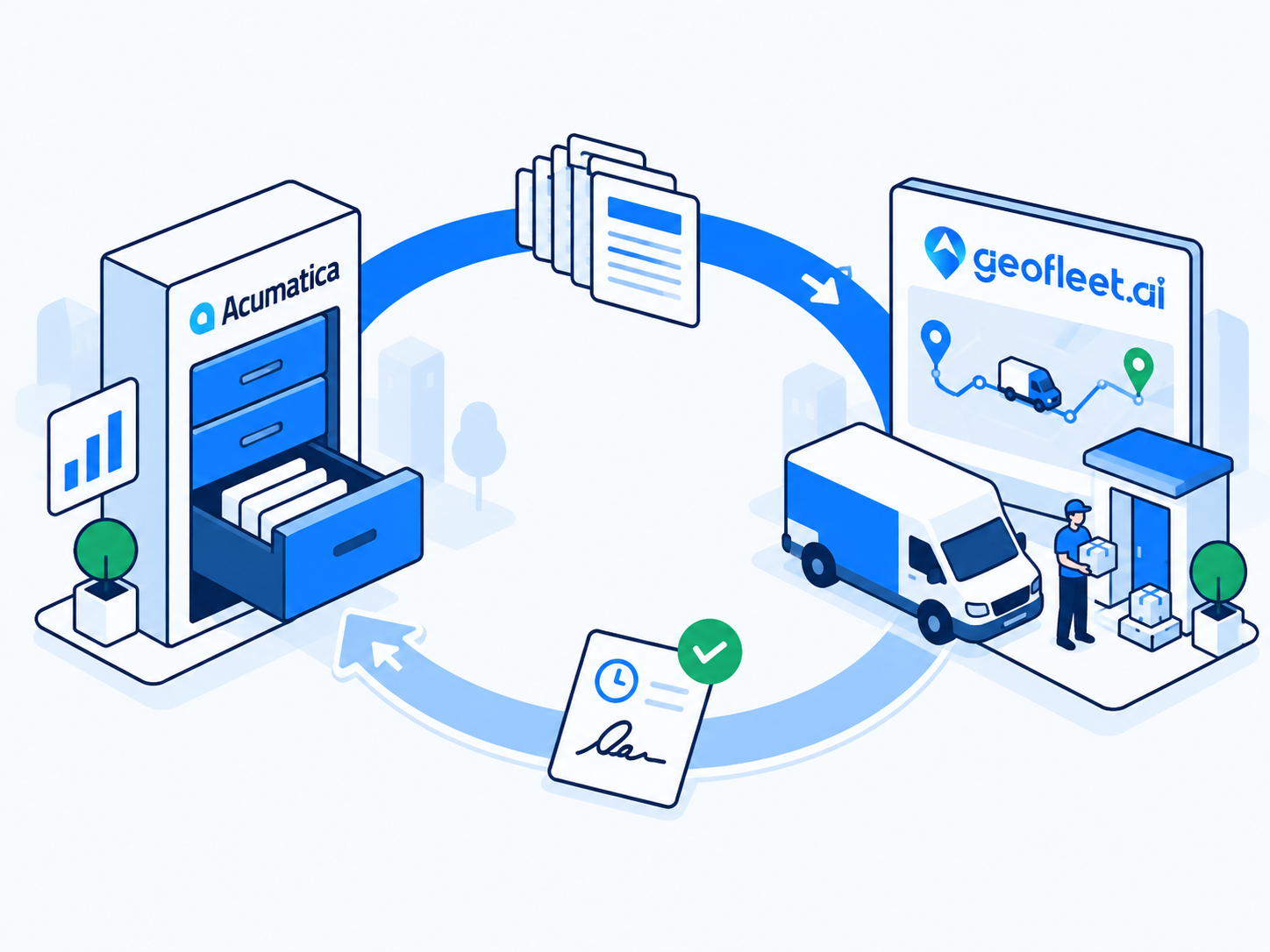
Regardless of path, the same data crosses the boundary. Outbound from the ERP: shipments (or sales orders) with ship-to address and contact, lines and quantities, requested dates or windows, freight terms, delivery instructions, and payment terms including any cash to collect. Inbound to the ERP: delivered timestamp, proof of delivery, delivered quantities, exceptions, measured distance, and a tracking reference. Any path that cannot carry the inbound half is a one-way feed, not an ERP last mile integration.
- Outbound: shipment or order header, ship-to, lines, window, instructions, COD amount, warehouse or hub.
- Inbound: delivered time, POD (signature, photo, name), quantities per line, exception codes, distance, tracking URL.
- Both directions: a stable identifier, usually the ERP shipment number, carried unchanged end to end.
- Lifecycle events: edits and cancellations after the shipment has been handed to delivery.
Four integration paths, ranked by effort
Path 1: Native connector (lowest effort)
A native connector is a pre-built integration between the delivery platform and a specific ERP, configured from a settings screen. In Geofleet, the Acumatica connector lives in the Integrations card under Developer settings: you connect the Acumatica instance, choose which shipment status triggers a delivery, map fields, and enable write-back. The connector already knows the ERP's document model, so partial deliveries, returns, and invoice release are handled by configuration options rather than custom logic. The Acumatica guide linked below walks through it in detail.
Choose this path if a connector exists for your ERP. The trade-off is flexibility: you get the flows the connector supports, which cover the vast majority of distribution and manufacturing cases, and anything exotic needs one of the other paths alongside it.
Path 2: MCP (low effort, AI-driven)
The Model Context Protocol lets an AI assistant query and act across systems that expose MCP tools. If your ERP and Geofleet both do, an assistant can answer 'which shipments confirmed today have not been dispatched?' or 'create delivery orders for these five shipments' from a single instruction, with no integration code. MCP is not a replacement for a connector on high-volume, always-on flows; it is the right tool for cross-system questions, exception handling, and lower-volume actions where a human is in the loop. The Geofleet MCP intro post explains the protocol and its governance model, and the dispatch team query examples post shows real prompts.
Because MCP calls are made by an AI model, the bring-your-own-LLM option matters here: Geofleet lets a tenant choose the model provider and supply their own API key under the LLM model providers section, so prompts and delivery data go to the provider account the client controls. Teams with data residency requirements should read the data residency post before enabling this path.
Path 3: Webhooks plus batch API (moderate effort, most flexible)
Most ERPs can send an outbound notification when a document changes, and most can receive an inbound update through a REST endpoint or import. Geofleet's webhooks push delivery events (assigned, out for delivery, delivered, failed) to any URL, and the batch API accepts orders in bulk. Connecting the two usually needs a light integration layer: an automation tool, a small serverless function, or the ERP's own business-events feature. It is not custom code in the traditional sense, but someone has to own the mapping. This is the path for ERPs without a native connector, or for flows the connector does not cover. The webhooks and batch API post goes into the mechanics.
Path 4: CSV or Google Sheets (lowest tech, highest manual effort)
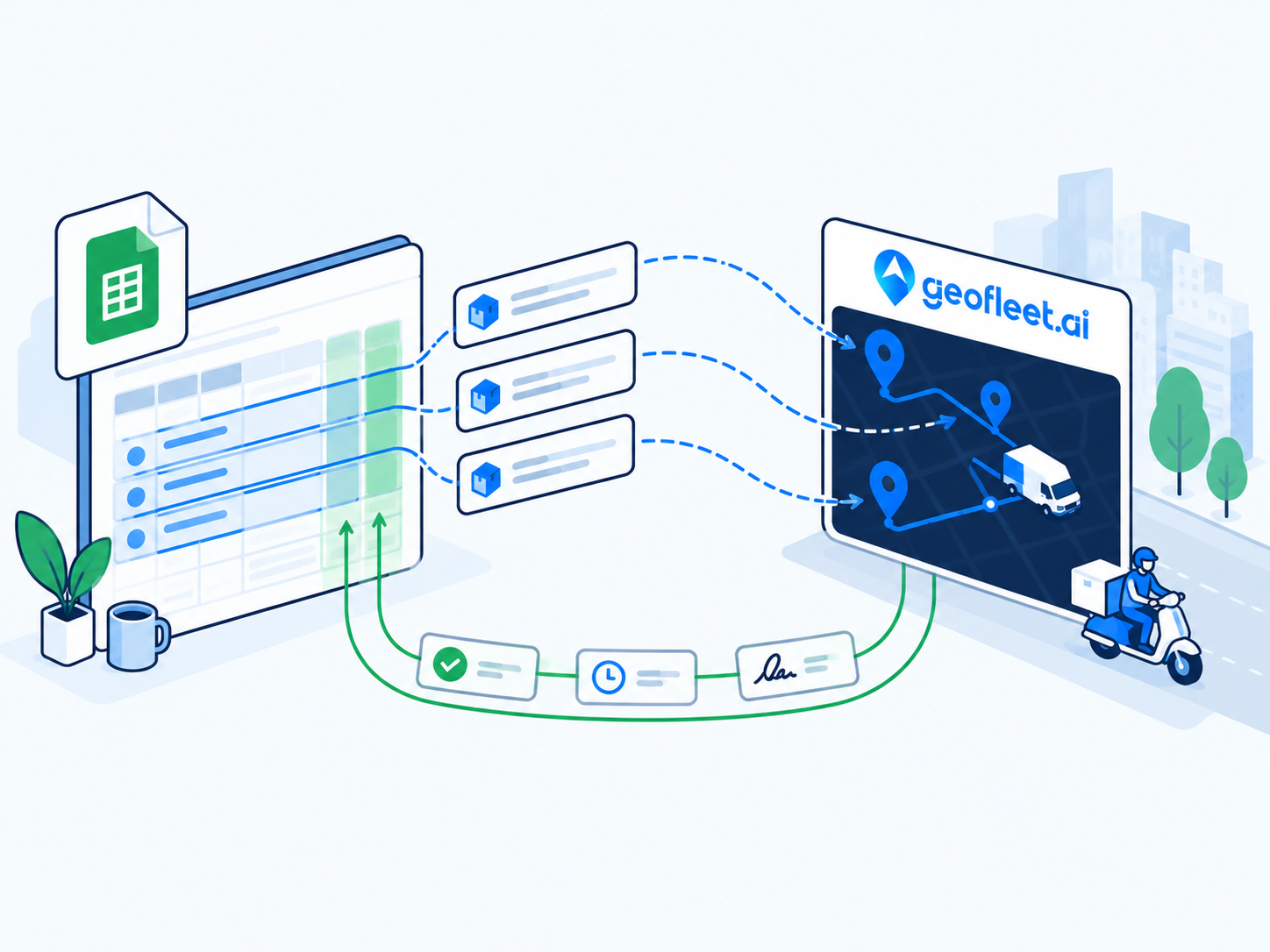
Every ERP can export a CSV of shipments and import a CSV of results, and the Google Sheets integration turns that into a near-live loop: export shipments to a sheet on a schedule, Geofleet dispatches from the rows and writes status, timestamps, and POD links back, and the ERP imports the results. It is not real time and it depends on someone running the export, but it works on day one with zero integration work and is a reasonable fallback during an ERP migration or for a small warehouse the main connector does not cover. The Sheets guide has the template.
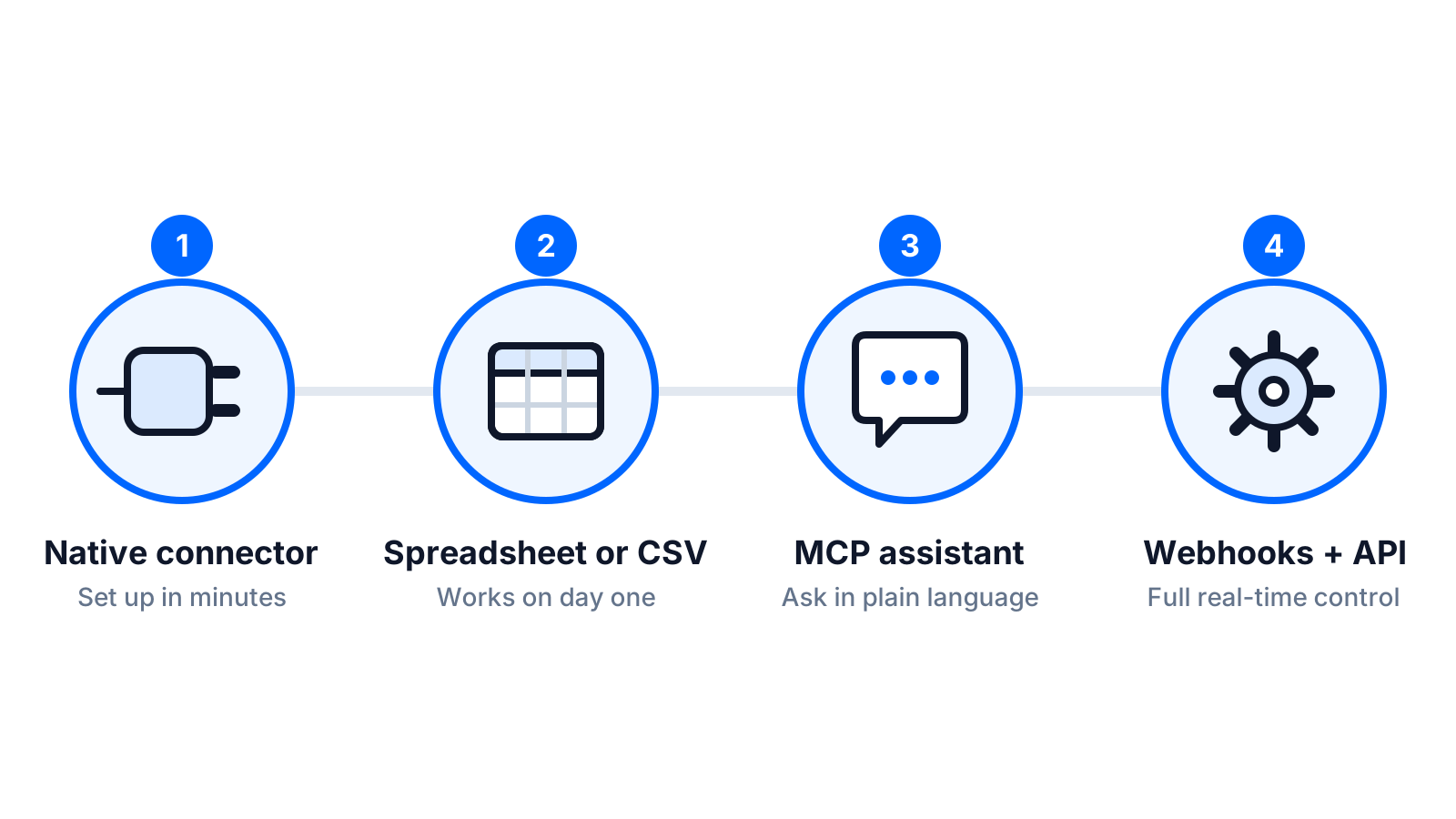
Comparing the four paths
| Path | Setup effort | Real-time | Write-back depth | Flexibility | Best when |
|---|---|---|---|---|---|
| Native connector (e.g. Acumatica) | Hours to a few days, configuration only | Seconds to minutes | Full: POD, timestamps, quantities, exceptions, invoice release | Fixed to supported flows | A connector exists for your ERP |
| MCP | Hours; enable tools and scopes | On demand | Whatever the tools expose, with approval flows for writes | High for questions and exceptions | Cross-system queries and human-in-the-loop actions |
| Webhooks + batch API | Days; someone owns the mapping | Seconds | Anything you map | Highest | No connector, or custom flows alongside one |
| CSV / Sheets | Under an hour | Scheduled batches | Status, timestamps, links in the sheet | Low | Fallback, migration periods, small sites |
They combine
A typical production setup is a native connector for the main shipment flow, MCP for questions and exception handling, and webhooks for one custom notification the connector does not send. Pick the primary path first, then add the others where they earn their keep.
Data ownership, idempotency, and error handling
Data ownership
Decide, in writing, which system owns each entity. The ERP owns customers, prices, inventory, and the commercial document. The delivery platform owns the delivery: assignment, route, proof, and delivery-stage timestamps. Address corrections are the grey area: if a Captain discovers the ship-to is wrong, the fix should go back to the ERP customer record, not live only in Geofleet. Put that rule in the integration design and the write-back mapping.
Idempotency
ERPs re-send. Webhook systems retry on timeouts. Sheets get pasted twice. Every message must carry a stable key (the shipment number) and every receiver must treat a repeated key as an update, never a new record. Geofleet de-duplicates on the external reference across all four paths. Confirm your ERP side does the same for inbound results, so a delivered event received twice does not release two invoices.
Error handling
Three classes of error need three different responses. Validation errors (missing address, unknown warehouse) should stop the record and notify the person who can fix it, in the system where they work. Transient errors (a timeout) should retry with backoff and alert only if retries are exhausted. Business exceptions (short delivery, refusal) are not errors at all; they are outcomes that must be written back with a code so the ERP can apply its policy. A dashboard of records in each class, reviewed daily, is the minimum operating discipline.
Never let the integration invent data
If a required field is missing, hold the record and ask. An integration that fills in a default warehouse or a guessed window to keep things moving will produce deliveries nobody can explain later.
Testing in a sandbox
Both the ERP and the delivery platform should offer a non-production environment; Acumatica has sandbox tenants and Geofleet supports a test workspace. Do not test with real customers or real Captains. Build a fixture set of ten shipments that covers the awkward cases, and run the full loop on each before anyone sees a live order.
- A clean shipment: confirm every mapped field arrives and every write-back field returns.
- The same shipment sent twice: confirm exactly one delivery exists.
- A shipment edited after dispatch: confirm the Captain sees the change.
- A shipment cancelled after dispatch: confirm the stop is removed or flagged.
- A short delivery: confirm delivered quantities and the ERP partial policy.
- A refused delivery: confirm the exception code and photo land on the shipment.
- A bad address: confirm the record is held with a reason, not dispatched.
- A COD shipment: confirm the amount reaches the Captain and reconciles.
- Multi-warehouse: confirm each maps to the right hub.
- A write-back failure (revoke the API permission on purpose): confirm the alert fires and the retry succeeds once restored.
"The test that saved us was sending the same shipment twice. In the old system that would have produced two deliveries and one very confused customer. Catching it in the sandbox cost an hour."
— IT manager, automotive parts distributor
A 4-week rollout plan
| Week | Focus | Outputs | Owner |
|---|---|---|---|
| 1 | Design and mapping | Path chosen; field map; ownership rules; partial, return, and hold policies; identifier confirmed | Ops lead + ERP admin |
| 2 | Sandbox | Connector configured; ten-shipment fixture run; error classes wired to alerts; Captain proof settings agreed | ERP admin + Geofleet admin |
| 3 | Parallel run | One warehouse or route group live alongside the existing process; daily three-column check (timestamp, POD, invoice); fixes applied | Ops lead |
| 4 | Cutover and expand | Old process retired for the pilot group; remaining warehouses added; MCP or webhooks added for gaps; runbook written | Ops lead + IT |
The plan assumes a native connector or the Sheets path. Add a week for the webhooks path, mostly for the mapping layer. The most common cause of slippage is not technical; it is week-one policy decisions (what happens on a short delivery?) that nobody owns. Assign them by name.
Security questions to settle before go-live
An ERP integration hands a third party access to commercial data, so IT will rightly ask about it. The short list: least-privilege credentials scoped to shipments and the write-back fields only; API keys stored and rotated on a schedule; MFA on the accounts that administer both sides; audit logs for every write on both systems; and, for MCP, read-only scopes first with approval flows for any write. The security checklist post has twelve questions worth putting to any delivery vendor before the contract is signed.
Related reading
Frequently asked questions
Can I integrate my ERP with a delivery platform without developers?
Usually, yes. A native connector such as Geofleet's Acumatica integration is configured from a settings screen. MCP and the Google Sheets path also need no code. The webhooks and batch API path needs someone to own a mapping layer, typically with an automation tool rather than custom software.
Which ERP delivery integration path is the most real-time?
Native connectors and webhooks both operate in seconds. MCP is on demand, triggered by an instruction. CSV or Sheets runs on whatever export schedule you set, so it is near-live at best.
What data should flow back from delivery to the ERP?
Delivered timestamp, proof of delivery, delivered quantities per line, exception codes, GPS-measured distance, and a tracking reference. These let the ERP invoice on delivery, handle partials and returns, and give sales and service visibility.
What is idempotency and why does it matter for ERP integration?
Idempotency means receiving the same message twice produces the same result as receiving it once. ERPs and webhooks retry, so every record needs a stable key such as the shipment number, and both sides must treat a repeat as an update rather than a new record.
How long does an ERP last mile integration take?
With a native connector or the Sheets path, four weeks is realistic: design and mapping, sandbox testing, a parallel run on one site, then cutover. Add a week for the webhooks path. Policy decisions such as partial-delivery handling are the usual cause of delay, not the technology.
Is MCP a replacement for an ERP connector?
No. MCP is for AI-driven cross-system questions and human-in-the-loop actions. High-volume, always-on shipment flows belong on a native connector or webhooks. Most production setups use MCP alongside a connector rather than instead of one.