White label delivery tracking is one of those features that sounds cosmetic and turns out to be operational. The customer receives an SMS saying their order is out for delivery, with a link. Whether they tap that link depends almost entirely on whether they recognise the domain. If they tap it, they see the ETA, the map, and the Captain’s progress, and they do not call you. If they do not tap it, they call, or they are not home when the Captain arrives, and you pay for a failed delivery.
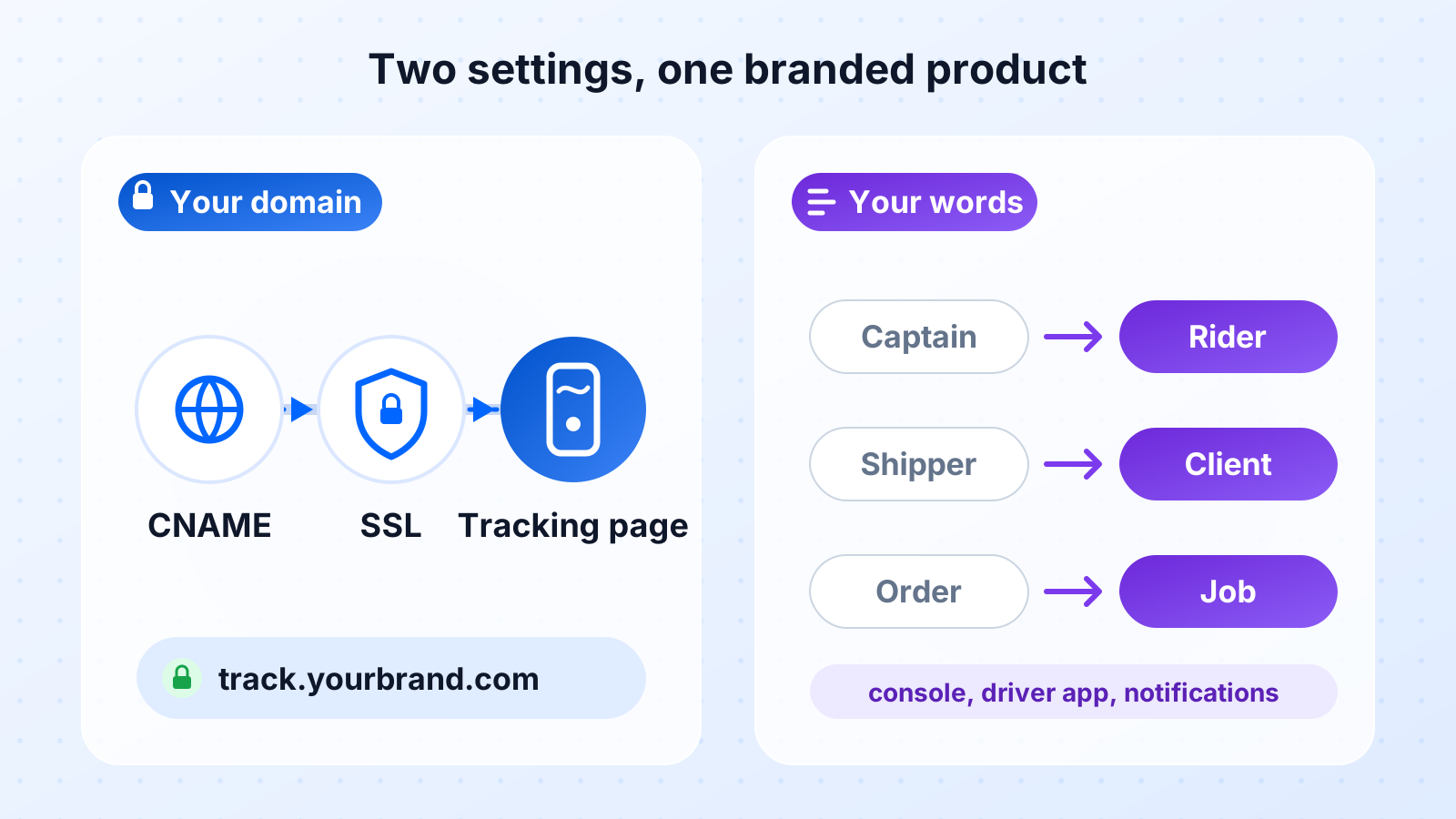
Geofleet handles this under Settings, Customization, with two configurations. Tracking URL Configuration serves the tracking page on your own domain. System Terminology Configuration renames the platform’s core objects to your company’s own words. This post explains both: how the custom tracking URL works technically, what a branded tracking page should contain, why domain trust changes click-through, how the page supports loyalty and repeat orders, and how terminology configuration speeds onboarding for staff and Captains.
What White-Label Delivery Tracking Actually Means
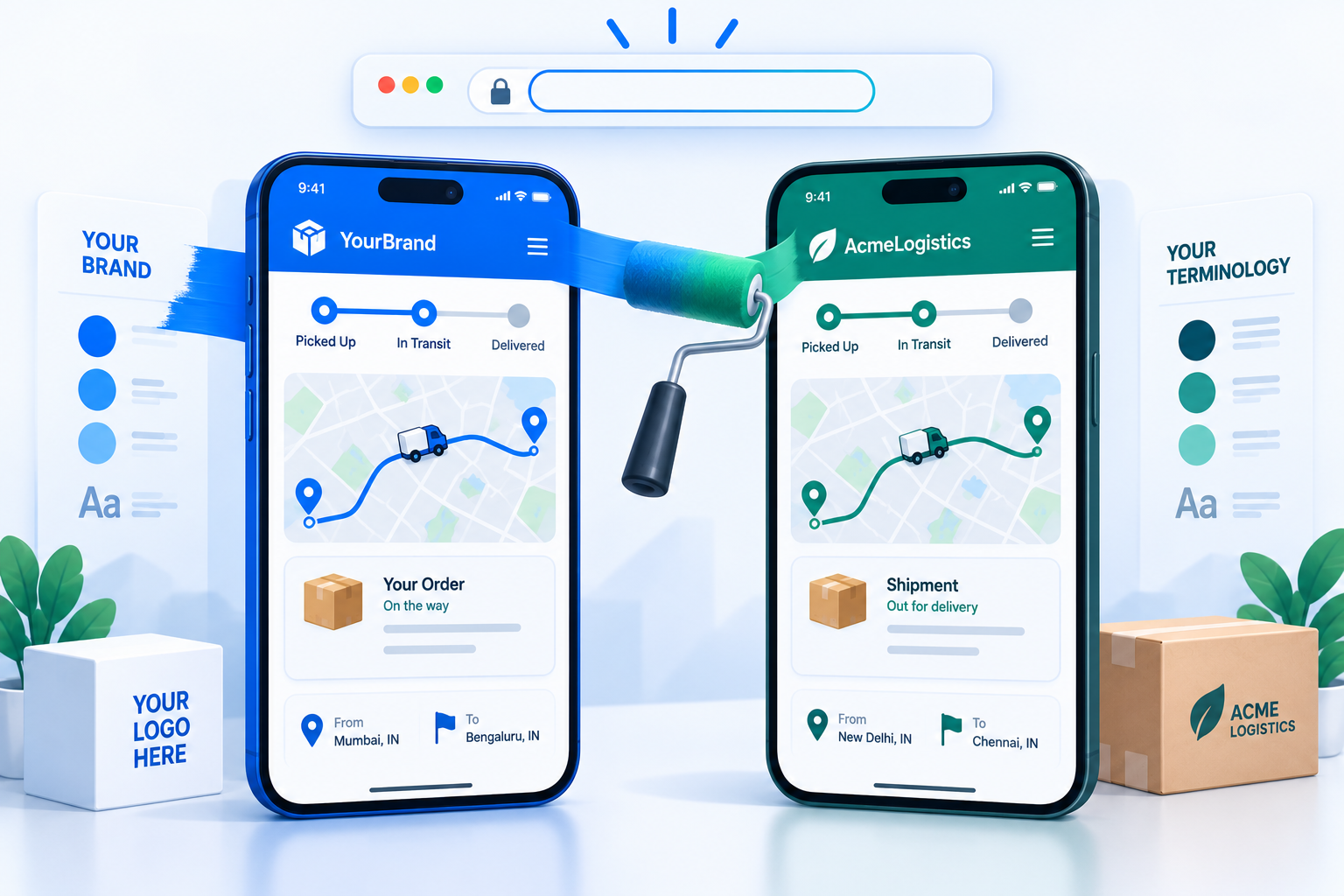
A white-label tracking page is one that carries no trace of the software vendor. The URL is on your domain, the page shows your logo and colours, the support contact is yours, and the words on the page are the ones your customers already associate with you. The vendor provides the map, the ETA calculation, and the live position; the customer never sees the vendor. For an operator serving multiple Shippers, white-labelling can go one level further: each Shipper’s customers see that Shipper’s brand, not the delivery operator’s.
The difference from a generic, vendor-branded page shows up well beyond the logo. This post covers how to configure white-label tracking, and why it pays back in trust, support load, and repeat orders.
| Aspect | Generic tracking | Branded tracking |
|---|---|---|
| Brand presence | Third-party logo | Your logo and colours |
| Engagement | Dead-end page | Offers and reorder prompts |
| Support load | High WISMO | Lower, self-serve |
| Data ownership | Limited | Full visibility |
| Trust signal | Neutral | Reinforces your brand |
Custom Tracking URL: How the Domain Setup Works
Tracking URL Configuration lets you serve tracking pages from a hostname you own, typically a subdomain such as track.yourbrand.com or delivery.yourbrand.com. The mechanism is a CNAME record: you create a DNS entry that points your subdomain at the Geofleet tracking host, Geofleet verifies the record, provisions an SSL certificate for your hostname, and from then on every tracking link generated for your tenant uses it. The setup sequence is short.
- Choose the subdomain. Keep it short and obviously yours; it will appear in SMS messages where every character counts.
- Add a CNAME record at your DNS provider pointing the subdomain to the target hostname shown in the configuration screen.
- Wait for DNS propagation, then verify in the settings panel. Geofleet checks the record and issues the certificate automatically.
- Set the tracking link format, for example track.yourbrand.com/t/{code}, where the code is a short, unguessable token rather than the raw order number.
- Send a test notification and open the link on a phone to confirm the page loads over HTTPS with your branding.
SSL and certificate renewal
A tracking link that throws a certificate warning is worse than no link. The platform issues the certificate for your hostname at verification and renews it automatically before expiry, so there is nothing to maintain. If you later change DNS providers or remove the CNAME, the configuration screen shows the hostname as unverified and falls back to the default tracking domain until the record is restored.
Tokens, not order numbers
Tracking pages are public by design: anyone with the link can see the delivery progress. That is why the link should carry a random token rather than a sequential order ID, and why the page should show only what the customer needs. Geofleet generates tokens per order and can expire the link a configurable time after delivery. The tracking page never exposes the Captain’s phone number or the full address of other stops.
Where the URL appears
Once configured, the custom hostname is used everywhere a tracking link is generated: SMS and WhatsApp notifications, email, the order confirmation your OMS sends if it pulls the link via API or webhook, and the link a support agent copies from the console. One setting, every channel.
What a Branded Tracking Page Should Contain
The page is configured per tenant, with overrides per Shipper for operators who deliver on behalf of multiple brands. Configure it once and it applies to every order; there is no per-order work.
- Logo, brand colours, and favicon so the page reads as yours the instant it loads.
- Order status in plain words, with the timeline of events: confirmed, out for delivery, arriving, delivered.
- Live map with the Captain’s position once out for delivery, and a predictive ETA that updates as the route progresses.
- Captain first name and vehicle description, so the customer knows who to expect at the door.
- Delivery instructions field, so the customer can add a gate code or a safe-place note before the Captain arrives.
- Support contact that goes to your team, not the vendor’s.
- Proof of delivery after completion: photo, time, and who signed, which cuts down "it was not delivered" disputes.
- Optional rating or feedback prompt after delivery.
Why Domain Trust Changes Click-Through and Call Volume
Customers have been trained to distrust delivery SMS messages. Parcel-scam texts are among the most common phishing patterns, and they almost always use an unfamiliar or shortened domain. When your notification arrives from a vendor hostname the customer has never heard of, it looks exactly like those messages. Some customers ignore it, some report it, and a few call your support line to ask whether it is real. Each of those outcomes costs you the value of the tracking page: the customer does not see the ETA, is not ready at the door, and does not add the gate code.
A link on your own domain removes that hesitation. The customer already trusts yourbrand.com; a subdomain of it inherits that trust. Operators who switch typically see the effect first in support: fewer "is this message from you" calls and fewer "where is my order" calls, because more customers opened the link. The predictive ETA post linked below explains what the customer gains once they are on the page.
"The tracking page had been live for months, but customers were not opening it. Moving the link to our own subdomain was the change that made them click. The page did not change at all."
— Customer experience lead, online grocery retailer
Match the SMS sender to the domain
Use a sender ID or number the customer associates with your brand, and make the first words of the message your brand name. A recognisable sender plus a recognisable domain is the combination that gets tapped. The notification templates post in this batch covers message wording.
Beyond the Click: Tracking Pages as a Loyalty and Repeat-Order Channel
Getting the customer to open the link is the first win. The second is what the page does for the relationship once they are there. Delivery tracking is one of the few touchpoints customers visit on purpose, often several times for a single order. Most marketing channels have to fight for that attention; the tracking page gets it for free. A generic vendor page wastes it, and it breaks the continuity between a carefully branded purchase experience and the delivery that follows, which is one of the moments that decides whether the customer orders again.
- It reduces delivery anxiety. Clear status and a live ETA replace the uncertainty that otherwise turns into support calls or a missed doorstep handoff.
- It strengthens brand recall. Every check of the page is another exposure to your name, logo, and colours at a moment the customer is paying attention.
- It signals professionalism. A consistent, on-brand page makes the whole operation look reliable, and reliability is what earns the next order.
- It creates a re-engagement moment. The customer is already thinking about your brand, which makes a reorder prompt feel natural rather than intrusive.
Using the page for repeat orders without annoying customers
Treat the page as a service first. Status, ETA, and support should dominate; a promotional message should be one relevant item, tied to what the customer just bought or a simple reorder link, not a banner stack. Because the customer chose to visit, a single well-placed prompt reads as helpful. Several read as spam and undo the trust the custom domain earned. Once the page is live, track repeat-order rate alongside tracking-page opens, so you can see whether the experience is paying back beyond reduced support contacts.
System Terminology Configuration: Your Words, Everywhere
Geofleet calls drivers Captains, the businesses who ship Shippers, deliveries Orders, and depots Hubs. Your company may not. A courier network might say riders and clients. A field-service operation might say technicians and jobs. A distributor might say drivers, customers, deliveries, and branches. System Terminology Configuration lets you set the word for each core object once, and the platform uses it everywhere: the console, the driver app, notifications, reports, exports, and the tracking page.
| Geofleet default | Courier network | Field service | B2B distributor |
|---|---|---|---|
| Captain | Rider | Technician | Driver |
| Shipper | Client | Account | Customer |
| Order | Job | Work order | Delivery |
| Hub | Depot | Service centre | Branch |
| Route | Run | Schedule | Trip |
| Stop | Drop | Visit | Consignment |
| Dispatcher | Controller | Coordinator | Planner |
Why this speeds onboarding
Every time a dispatcher reads "Captain" and thinks "rider", there is a small translation cost. Multiply it by every screen, every notification, and every new hire, and it adds up to slower training, mistakes in support conversations, and a persistent feeling that the software belongs to someone else. When the console uses the vocabulary your SOPs, training materials, and contracts already use, new staff are productive on day one and Captains, or riders, or technicians, see an app that speaks their language.
The same applies to customers. If a notification says "your rider is on the way" because that is what your brand has always said, the message reads as yours. Terminology flows into notification templates automatically, so you do not maintain two vocabularies.
Practical notes on renaming
- Set singular and plural forms; the platform needs both.
- Terminology applies to labels and messages, not to API field names, so integrations built against the API keep working after a rename.
- Reports and exports use the renamed labels in headers; the underlying columns are unchanged.
- If different Shippers need different customer-facing words, use per-Shipper notification templates rather than changing the system-wide term.
- Pick terms once and leave them. Renaming again after staff have learned the first set costs more than it saves.
Putting Both Together: A Short Rollout
- Set System Terminology first, so every screen your team sees during setup already uses your words.
- Configure the tracking page branding: logo, colours, support contact, fields shown, and POD display.
- Add the CNAME, verify the hostname, and confirm the certificate is active.
- Update notification templates to use the custom domain and your brand name in the first few words.
- Send test orders through the full flow and open every link on a real phone.
- Watch two numbers for the following month: tracking page open rate and inbound "where is my order" contacts.
Neither feature needs engineering work beyond one DNS record. Both change how the platform is perceived by the two groups whose trust matters most: the customers waiting at the door and the people running the operation.
Related reading
Frequently asked questions
What is white label delivery tracking?
White label delivery tracking is a customer-facing tracking page that carries your brand and your domain with no visible trace of the software vendor. The vendor supplies the live map, ETA, and status updates; the customer sees your logo, your colours, your support contact, and a link on your own subdomain.
How do I set up a custom tracking URL on my own domain?
Choose a subdomain such as track.yourbrand.com, add a CNAME record at your DNS provider pointing it to the hostname shown in Geofleet’s Tracking URL Configuration, verify the record in the settings panel, and the platform issues and renews the SSL certificate. All tracking links then use your hostname.
Does a branded tracking link really improve click-through?
Customers are wary of delivery SMS messages with unfamiliar domains because parcel-scam texts use the same pattern. A link on a domain they already trust removes that hesitation. Operators typically notice the change first as fewer "is this message from you" and "where is my order" support contacts.
Can branded tracking pages increase repeat orders?
They can help. Customers check tracking pages voluntarily and often more than once per order, which makes the page a high-intent moment. A consistent branded experience builds trust and brand recall, and a single relevant reorder prompt or offer gives the customer an easy way back.
Can I promote offers on a tracking page without annoying customers?
Yes, if you keep it to one relevant item. Because tracking pages are checked voluntarily and repeatedly, a single offer or reorder prompt tied to the customer's order feels helpful rather than intrusive. Status, ETA, and support should still dominate the page.
Is a public tracking page a privacy risk?
Not when configured properly. Links use a random token rather than a sequential order number, the page shows only the customer’s own delivery, it never exposes the Captain’s phone number or other stops, and the link can expire a set time after delivery.
What does System Terminology Configuration change?
It renames Geofleet’s core objects, such as Captain, Shipper, Order, Hub, Route, and Stop, to your company’s own words across the console, driver app, notifications, reports, and tracking page. API field names are unchanged, so existing integrations keep working.
Can different Shippers have different tracking page branding?
Yes. Operators delivering on behalf of multiple brands can set tracking page branding and notification templates per Shipper, so each Shipper’s customers see that Shipper’s logo and wording, while the operation runs on one platform and one process.