Most failed deliveries are not logistics failures. The Captain arrived; the customer was not there, did not answer, or did not know the parcel was coming today. Good delivery notification SMS templates close that gap: they tell the customer what is happening, when, and what to do if the timing does not work, in a message short enough to read at a glance and trusted enough not to be mistaken for spam.
This is a working library. Twenty templates cover the full lifecycle from confirmation to OTP, each with placeholders you can map to your platform. Before the templates come the rules that make them work: message length and segments, sender ID, opt-out, timing windows and localisation. After them: how to A/B test and how to set them up in Geofleet under Alerts and Templates with the branded tracking page.
Why delivery notification SMS templates matter more than the notification itself
Platforms send notifications automatically, so teams assume the job is done. But a message that says "Your order #48213 has been dispatched" with no time, no link and an unfamiliar number does nothing to change customer behaviour. The customer still goes out, still misses the drop, still calls support. The template is where the outcome is decided.
Three things move the needle. A specific time window, ideally a live ETA. A branded tracking link the customer recognises and taps. And a clear next action for when the plan fails: reschedule, choose a safe place, or confirm a neighbour. Everything in this library is built around those three.
Illustrative economics
If a 500-order-a-day operation fails one drop in twenty and a better failed-attempt template recovers a quarter of those on the next attempt without a phone call, that is roughly six extra successful deliveries a day and six fewer support conversations. Your numbers will differ; measure them.
Rules before templates
Length and segments
A single SMS segment carries 160 characters in the GSM-7 alphabet, or 70 characters if the message contains any character outside it (emoji, many accented letters, some currency symbols). Longer messages are split into segments of 153 or 67 characters and billed per segment. Placeholders expand: {customer_name} may be 4 characters or 24, and a tracking link is typically 25 to 35. Write to a budget of about 120 characters of fixed text so the rendered message stays in one segment.
| Encoding | Single segment | Each extra segment | Common trigger |
|---|---|---|---|
| GSM-7 (plain text) | 160 characters | 153 characters | Standard Latin text, basic punctuation |
| UCS-2 (Unicode) | 70 characters | 67 characters | Emoji, curly quotes, many non-Latin scripts |
Sender ID
Customers decide whether to trust a text in the first second, and the sender is the first thing they see. Use an alphanumeric sender ID with your brand name where the country allows it and register it in advance; where only long numbers are permitted, keep the number consistent and put the brand name in the first three words. If a reply is needed (STOP, reschedule by reply), you need a two-way number, since alphanumeric IDs are one-way in most markets.
Opt-out and consent
Transactional delivery updates are generally permitted without marketing consent, but rules vary and customers still expect a way out. Include opt-out instructions in the first message of a lifecycle, keep them out of the time-critical messages, and honour them immediately. Never mix promotional copy into a delivery update; it changes the legal category of the message in many jurisdictions.
Timing windows
Send lifecycle messages when they are useful, not when the event fires. A "delivered" text at 23:40 because the batch closed late is a complaint waiting to happen. Set quiet hours (for most consumer operations, roughly 21:00 to 08:00 local) and hold non-urgent messages until morning. Arrival and OTP messages are the exception; they are only useful in the moment.
Localisation
Translate the whole message, not just the words: time formats, name order, the word for "Captain" or "driver" your customers use, and whether a link or a phone call is the trusted action in that market. In Geofleet, System Terminology Configuration lets you rename Captains and Shippers in the interface and templates to match your own language, so the text a customer sees matches what your support team says on the phone.
The 20 templates
Placeholders use curly braces: {customer_name}, {brand}, {order_id}, {date}, {window}, {eta}, {tracking_link}, {captain_name}, {reschedule_link}, {cod_amount}, {otp}, {pod_link}, {support_number}. Map them to your platform's merge fields. Character counts below assume a short brand name and a 30-character link.
Before dispatch (T1 to T5)
- T1 Order confirmed: "{brand}: Hi {customer_name}, order {order_id} is confirmed. We will text you the delivery day and a live tracking link. Reply STOP to opt out."
- T2 Delivery window scheduled: "{brand}: {order_id} is booked for {date}, {window}. Need a different day? Change it here: {tracking_link}"
- T3 Day-before reminder: "{brand}: Reminder, your delivery {order_id} arrives tomorrow {window}. Track or reschedule: {tracking_link}"
- T4 Morning-of confirmation: "{brand}: Good morning {customer_name}, {order_id} is on today's route, expected {window}. Live updates: {tracking_link}"
- T5 Address check (flagged addresses only): "{brand}: We want to get {order_id} right. Please confirm or fix your address before dispatch: {tracking_link}"
Out for delivery (T6 to T10)
- T6 Out for delivery: "{brand}: {order_id} is out for delivery with {captain_name}. Expected around {eta}. Follow live: {tracking_link}"
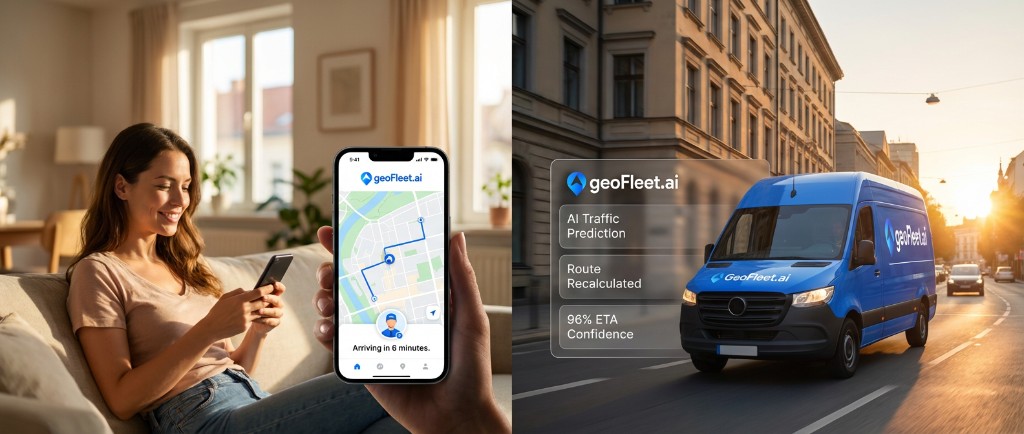
- T7 Live ETA with branded tracking: "{brand}: {captain_name} is on the way. Current ETA {eta}. Watch the map and update instructions: {tracking_link}"
- T8 ETA changed: "{brand}: Update for {order_id}: new ETA {eta} due to traffic on the route. Sorry for the delay. Track: {tracking_link}"
- T9 Ten minutes away: "{brand}: {captain_name} is about 10 minutes from you with {order_id}. Please be ready to receive it."
- T10 Arrived: "{brand}: {captain_name} has arrived with {order_id}. If you cannot come to the door, reply here or call {support_number}."
At the door (T11 to T14)
- T11 Cannot find you: "{brand}: {captain_name} is at your address but cannot reach you. Please call {support_number} in the next 5 minutes so we can complete {order_id}."
- T12 Delivered with POD: "{brand}: {order_id} delivered at {eta}. See the proof of delivery photo and signature here: {pod_link}. Thank you, {customer_name}!"
- T13 Left in safe place or with neighbour: "{brand}: {order_id} was left {safe_place} as instructed. Photo: {pod_link}. Questions? {support_number}"
- T14 Rate the delivery (optional, send once): "{brand}: How did {captain_name} do with {order_id}? Rate in one tap: {tracking_link}"
Exceptions and reschedules (T15 to T17)
- T15 Failed attempt with reschedule: "{brand}: We tried to deliver {order_id} at {eta} but no one was available. Pick a new time in one tap: {reschedule_link}"
- T16 Second attempt confirmed: "{brand}: Thanks, {order_id} is rebooked for {date}, {window}. We will text a live ETA on the day. Track: {tracking_link}"
- T17 Final attempt warning: "{brand}: Last attempt for {order_id} is {date}, {window}. After that it returns to sender. Change the time: {reschedule_link}"
Cash, returns and OTP (T18 to T20)
- T18 COD reminder: "{brand}: {order_id} arrives {window}. Amount due on delivery: {cod_amount}. {captain_name} accepts cash and card. Track: {tracking_link}"
- T19 Return pickup scheduled: "{brand}: Return pickup for {order_id} is booked for {date}, {window}. Please have the item packed. Change: {reschedule_link}"
- T20 OTP for proof of delivery: "{brand}: Your delivery code for {order_id} is {otp}. Share it only with {captain_name} at handover. Never share it by phone or message."
The failed-attempt message is a landing page
T15 gets more taps than any other message you send. Keep it to the reason, the fix and one link, and make sure the reschedule page loads in under two seconds on mobile with the slots already filtered to what your routes can actually serve.
Which messages to send, and when
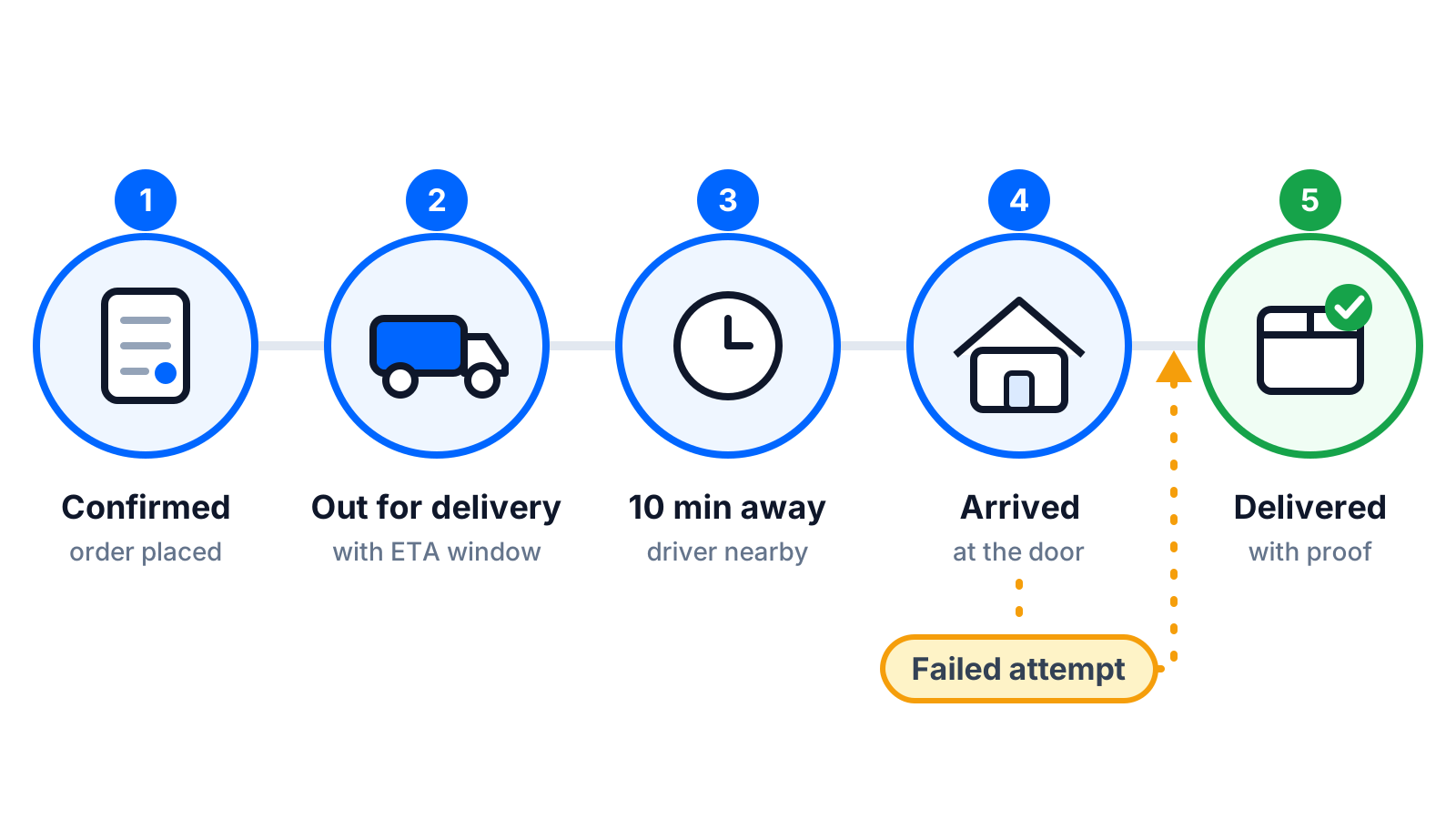
Twenty templates does not mean twenty messages per order. A typical consumer delivery uses five or six: confirmation, day-before reminder, out for delivery with ETA, ten minutes away, delivered, and the failed-attempt message when needed. B2B deliveries usually drop the reminders and add the OTP. Cash-on-delivery adds T18. Returns use T19 and T20. Use the table as a starting point and prune based on the A/B results below.
| Delivery type | Always send | Send on condition | Skip |
|---|---|---|---|
| Consumer parcel | T1, T3, T6, T9, T12 | T8 on delay, T15 on failure, T13 if safe place | T5, T18, T20 |
| Same-day food or grocery | T6, T9, T12 | T8, T10, T11 | T1 (in-app), T3, T17 |
| B2B or high value | T2, T6, T7, T20 | T8, T15, T16 | T9, T14 |
| Cash on delivery | T2, T6, T18, T12 | T15, T17 | T14 |
| Return pickup | T19, T20 | T15 variant for missed pickup | T1, T18 |
How to A/B test delivery SMS templates
SMS has no meaningful open rate, so test on outcomes. Split customers by order ID or postcode, run each variant for at least two weeks or a few thousand messages, and compare:
- First-attempt success rate: the primary metric for every pre-arrival message.
- Reschedule link taps and completed rebookings within one hour of a failed attempt.
- Inbound "where is my order" calls and chats per 100 orders.
- Opt-out rate, which tells you when you are sending too much.
- Cost per delivered order, including extra segments from longer variants.
Test one variable at a time: with or without the Captain name, ETA as a time versus a window, link position, and message count. Most teams find the biggest wins in the ten-minutes-away and failed-attempt messages, and the biggest losses from sending too many pre-dispatch reminders.
"Adding the Captain's first name and moving the link into the middle of the out-for-delivery text did more for our first-attempt rate than any routing change that quarter."
— Customer experience lead, online grocery delivery
Setting this up in Geofleet
Notification templates live under Settings, Alerts and Templates, where each lifecycle event maps to a message with the placeholders above. The {tracking_link} placeholder resolves to your branded tracking page, which can run on your own domain through Tracking URL Configuration so the link customers tap carries your name rather than a generic one. Reschedule, safe-place and rating actions happen on that page, so the SMS stays short and the heavy lifting happens where there is room for it.
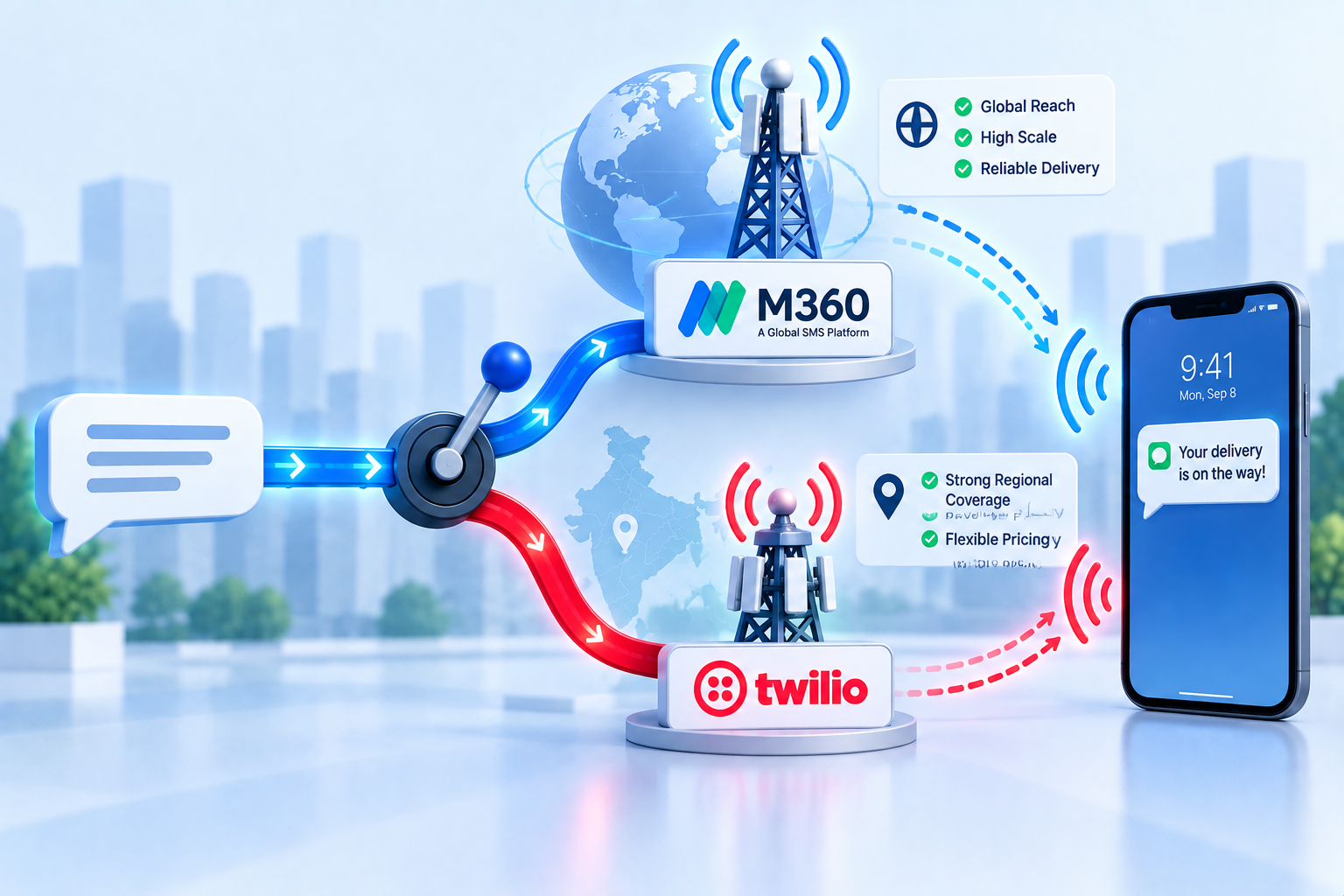
The gateway carrying the message is configured separately under Settings, Developer, Integrations, where Twilio and M360 are both supported. That separation matters: you can change routes or providers without touching a single template. If you are choosing between gateways, our comparison of M360 and Twilio for delivery notifications covers deliverability, sender ID rules and running both with routing rules.
Related reading
Frequently asked questions
What should an out for delivery SMS template include?
The brand name, the order reference, the Captain or driver name, an expected time or live ETA, and a branded tracking link where the customer can watch the map and change instructions. Keep it under 160 characters after placeholders expand so it stays in one segment.
How many delivery text messages should I send per order?
Five or six for a typical consumer parcel: confirmation, day-before reminder, out for delivery, ten minutes away, delivered, and a failed-attempt message when needed. More than that usually raises opt-outs without improving first-attempt success.
Do delivery notifications need opt-out language?
Transactional updates are generally allowed without marketing consent, but customers still expect a way to stop them and some jurisdictions require it. Put opt-out instructions in the first message of the lifecycle and honour requests immediately.
What is the best time to send delivery SMS notifications?
When they are useful to the customer: the day-before reminder in the early evening, the out-for-delivery text when the Captain actually leaves, and the ten-minutes-away message in real time. Hold non-urgent messages during quiet hours, roughly 21:00 to 08:00 local.
How do I reduce failed deliveries with SMS?
Send a specific time window, a live ETA and a ten-minutes-away nudge so the customer is at the door, and make the failed-attempt message a one-tap reschedule. Test variants against first-attempt success rather than any open or click metric.
Can I use these templates in Geofleet?
Yes. Paste them into the notification templates under Settings, Alerts and Templates, map the placeholders to Geofleet merge fields, and point {tracking_link} at your branded tracking page. The SMS gateway is configured separately under Developer, Integrations.